IP8 Lookup Tool: The Complete 2026 Guide to Checking Any IP Address

Every device on the internet has an address, and sometimes you need to know exactly what that address reveals. An ip8 lookup tool gives you that information in seconds, no technical background required. This guide walks through what these tools do, why they matter, and how to get accurate results without paying for anything.
What Is an IP Lookup Tool?
An IP lookup tool takes an IP address and returns information tied to it: approximate location, internet service provider, connection type, and sometimes the organization behind it. People use this for troubleshooting network issues, checking suspicious login activity, verifying where a website visitor is connecting from, or simply confirming their own public IP before configuring a router or VPN.
How the IP8 Lookup Tool Works
Type or paste an IP address into the search field, or leave it blank to check your own connection. The ip8 lookup tool cross-references public routing databases and regional internet registries to match that address with a city-level location, ISP name, and network type. The whole process runs in the browser, so there's nothing to install and no waiting around.
Under the hood, most Developer Tools that handle IP lookups rely on the same public registry data (ARIN, RIPE, APNIC, and similar bodies), which is why results are usually consistent across different lookup tools, even when the interface looks different.
What Information You Can Expect
Approximate city and region (rarely an exact street address)
Internet Service Provider (ISP) or hosting company name
Connection type: residential, business, mobile, or data center
Time zone associated with the IP block
Whether the address is flagged as a VPN, proxy, or known hosting range
Common Reasons People Use an IP Lookup Tool
Confirming their own public IP before setting up remote access or port forwarding
Investigating a suspicious login alert from an email or bank account
Checking whether a website visitor's traffic looks like a bot or a real person
Verifying a VPN connection actually changed the visible IP address
Basic due diligence before approving access requests on a shared network
Price, Access, and How to Use It
Most IP lookup tools, including the standard ip8 lookup tool setup, are completely free with no download required. Open the page, enter the IP address (or check your own), and results appear immediately. There is no license fee, and no account sign-up needed for a basic lookup. Bulk lookups or API access are sometimes offered as a paid tier for developers who need to check thousands of addresses automatically.
IP Lookup Tool Comparison
Feature | Basic Lookup | Bulk / API Access |
|---|---|---|
Cost | Free | Often paid, usage-based |
Speed | Instant, single address | Automated, high volume |
Best For | Everyday users | Developers, security teams |
Account Needed | No | Usually yes |
Pros and Cons of IP Lookup Tools
Pros | Cons |
|---|---|
Instant results with no installation | Location is approximate, not exact |
Free for individual checks | VPN or proxy use can mask real location |
Useful for basic security checks | Not a substitute for full network forensics |
Works on desktop and mobile browsers | Bulk use may require a paid plan |
Step-by-Step: Running Your First Lookup
Open the lookup tool page in your browser — no installation needed.
Leave the field blank to check your own public IP, or paste in a specific address.
Press search and wait a second or two for the registry match to return.
Review the location, ISP, and connection type shown in the results.
Cross-check with a second lookup tool if the result matters for a security decision.
IPv4 vs. IPv6 Lookups
Most home networks still show an IPv4 address, the familiar four-number format like 192.0.2.1, but IPv6 adoption keeps growing every year. A good ip8 lookup tool needs to handle both formats correctly, since an IPv6 address (a much longer string of numbers and letters) maps to the same kind of registry data, just through a different lookup path. If a tool only supports IPv4, it's worth switching to one that covers both.
Data Point: Why Location Accuracy Varies
IP-to-location databases are built from registry allocations, not GPS signals, which is why accuracy generally narrows down to a city or region rather than a street address. Mobile connections routing through carrier networks often show even less precise results, sometimes displaying a regional hub city instead of the user's actual location. Understanding this limitation up front prevents a lot of confusion when a lookup result doesn't match expectations.
Expert Perspective on Everyday Use
Network administrators and IT support staff generally treat an IP lookup as a first-pass triage step, not a final answer. It's the fast, free check that tells you whether something is worth investigating further, before pulling in heavier tools like full traffic logs or a formal security review. Used that way, it saves time without overselling what a simple registry lookup can actually prove.
A Real-World Example
Say a small business owner gets an email alert about a login from an unfamiliar location. Before panicking, they copy the IP address from the alert into a lookup tool. If it shows a data center in a country they've never done business with, that's a real red flag worth acting on immediately. If it shows their own city and their usual ISP, it was probably just a forgotten device or a VPN reconnect. That one-minute check is often the difference between a wasted afternoon changing every password and a calm, informed response.
What an IP Lookup Tool Cannot Tell You
It's worth being clear about the limits here. An IP lookup will not hand you someone's home address, name, or phone number. It shows network-level information: roughly where the connection is coming from and which provider owns that address block. Anyone claiming an IP lookup can pinpoint an exact person or address is overselling what the data actually contains.
Building the Habit of Checking Before Reacting
The single biggest benefit of keeping an IP lookup tool bookmarked isn't any one dramatic use case, it's the habit of checking before reacting. A strange login alert, an unfamiliar visitor in analytics, a support ticket describing odd behavior — in each case, a thirty-second lookup either confirms there's nothing to worry about or gives you the first solid clue that something needs a closer look. That small habit prevents a lot of wasted panic and a lot of missed warning signs in equal measure.
Looking Ahead: IPv6 and What It Means for Lookups
As more networks fully transition to IPv6, lookup tools will need to keep pace with how that address space is allocated and documented across regional registries. The core idea won't change, matching an address to a general location and provider, but the underlying data will keep growing in scale. Choosing a lookup tool that's already comfortable with both address formats today is the safer long-term bet.
An IP lookup tool shows general location, ISP, and connection type — not personal identity.
Basic lookups are free and require no sign-up.
Results rely on public registry data, so accuracy is generally consistent across tools.
Bulk or automated lookups usually need a paid API plan.
Comparing Free vs. Paid IP Lookup Options
For the overwhelming majority of everyday needs, a free single-address lookup covers it. The line where a paid tier starts making sense is volume: security teams filtering thousands of login attempts, marketing platforms enriching visitor data at scale, or fraud-prevention systems that need automated, real-time lookups built into their pipeline. If you're checking one address a week, there's no reason to pay for anything. If you're checking thousands a day, an API plan will save far more time than it costs.
An IP lookup is one of those small utilities you don't think about until you need it. Keep it bookmarked next to your other Toolsimpli for quick troubleshooting, check the FAQs page if a result looks off, and browse the site's Read Latest Blogs for more networking tips. Pair it with the Text Tools section when you need to log or format the results for a report.
Related posts

Droven.io AI for Business: A Complete Guide to Smarter Business Growth with Artificial Intelligence
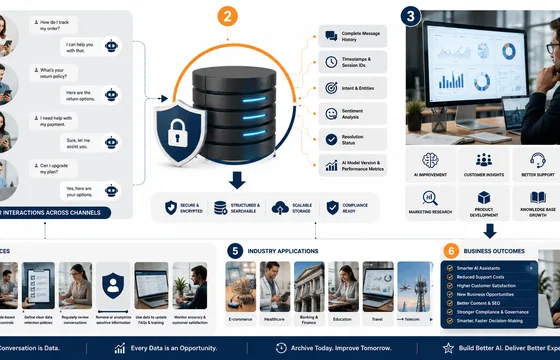
AI Chatbot Conversations Archive: Why It Matters in 2026
As conversational AI continues to evolve, businesses that invest in structured conversation archiving will be better equipped to understand their customers, optimize operations, and maintain a competitive advantage in an increasingly AI-driven world