5 Gig Internet: Is 5 Gbps Fiber Worth It?
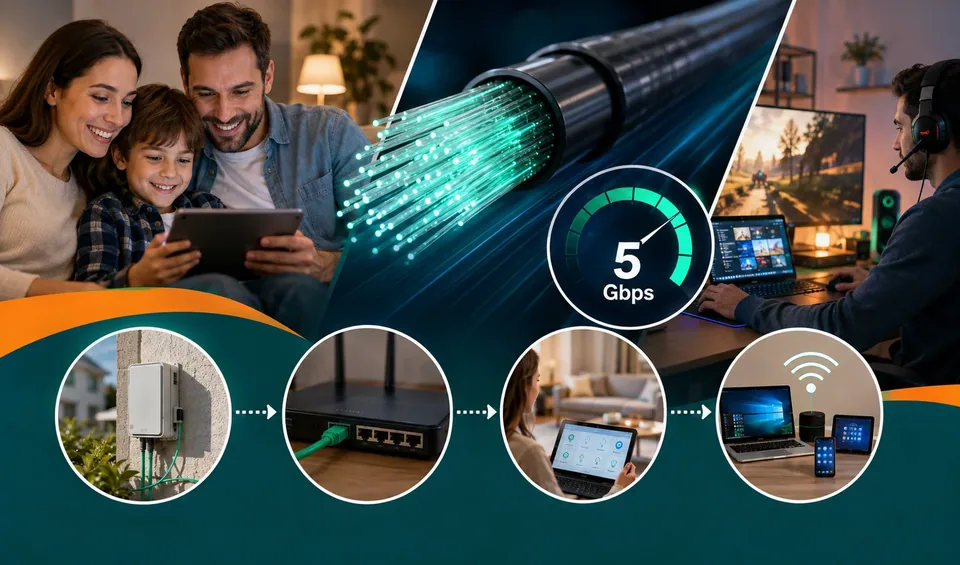
Internet plans keep getting faster, and "5 Gig" now shows up on the menu in a growing number of neighborhoods. It sounds impressive, five times faster than a gigabit plan, but a big number doesn't always mean a better day-to-day experience. Before you upgrade, or pay for something you'll never fully use, here's what 5 Gig internet actually delivers, what it costs, and the kind of household it really helps.
What "5 Gig internet" means
5 Gig internet is a fiber-optic plan that delivers up to 5 Gbps, which is 5,000 Mbps, for both downloads and uploads. The "symmetrical" part is a big deal. Cable plans usually give you fast downloads and much slower uploads. Fiber sends the same blazing speed in both directions, which helps with video calls, cloud backups, and sending large files.
To put that in context, the FCC's benchmark for "broadband" is just 100 Mbps download. A 5 Gig plan is 50 times that. For most homes, that's far more than they'll ever use at once, but not everyone falls into "most homes."
Gig vs. multi-gig, in plain terms
Plan | Speed | Rough real-world use |
|---|---|---|
300 Mbps | 0.3 Gbps | Streaming, browsing, a handful of devices |
1 Gig | 1,000 Mbps | Busy family, 4K streaming, gaming, working from home |
2 Gig | 2,000 Mbps | Heavy multi-device homes and content creators |
5 Gig | 5,000 Mbps | Power users, many heavy tasks at once, futureproofing |
The catch: one device won't feel 5 Gbps
Here's the part providers don't advertise loudly. A single laptop or phone almost never uses 5 Gbps. Most devices have network cards and Wi-Fi that top out well below that. Over normal Wi-Fi, one device might see a few hundred Mbps, or maybe 1 to 2 Gbps on the newest gear, nowhere near 5,000.
So where does 5 Gig actually help? When lots of demands hit at the same time, or when a single wired device is built to handle it. To get anywhere close to the full speed, you generally need:
A wired connection using multi-gig Ethernet, meaning 2.5G, 5G, or 10G ports
A computer or device with a multi-gig network card
A modern router that supports multi-gig and Wi-Fi 6E or Wi-Fi 7
Quality cabling, such as Cat6 or better
Plug an old laptop with a 1 Gig port into a 5 Gig line and you'll get 1 Gig, full stop. The pipe is huge, but your device is the straw.
What 5 Gig internet costs
Pricing varies by provider and address, and it shifts with promotions. As of 2026, residential 5 Gig plans generally land somewhere between about $90 and $155 a month. A few providers that offer multi-gig fiber include the following.
Provider (examples) | Approx. 5 Gig price/month | Notes |
|---|---|---|
AT&T Fiber | Around $140 (varies by promo) | Symmetrical, no data caps, price-lock guarantee |
Frontier Fiber | About $90 to $155 | Often the value pick, also offers a 7 Gig tier, no contracts |
Google Fiber | Around $125 | Also offers an 8 Gig tier, includes mesh Wi-Fi equipment |
Availability is the real gatekeeper. True fiber isn't everywhere, and the same street can have it on one block and not the next. Always check your exact address, and treat the prices above as ballpark figures that change. Before you sign up, it helps to compare the monthly jump against your current plan with a quick discount calculator so the cost is clear.
The upside: most fiber plans skip contracts and data caps and include a compatible gateway, though multi-gig tiers may need specific equipment to hit their top speeds.
Who actually needs 5 Gig internet?
Be honest about your usage. For the large majority of homes, 1 Gig is already overkill, and 300 to 500 Mbps is plenty. 5 Gig starts to make sense if you check several of these boxes:
A big household where many people stream 4K, game, and video-call at the same time
Content creators uploading huge video files on a regular basis
Remote workers moving large datasets or running a home server
Smart homes with dozens of connected devices
People who want to futureproof and hate upgrading later
You'll benefit from 5 Gig if... | You probably won't if... |
|---|---|
Many heavy users are online at once | One to three people with normal use |
You upload big files every day | You mostly stream and browse |
You have multi-gig routers and cards | Your devices max out at 1 Gig |
You run a home server or lab | A single laptop is your main device |
A smarter middle ground
If your current plan feels slow, the fix usually isn't 5 Gig. It's often a better router, a couple of wired connections for the devices that matter, or a simple jump from 300 Mbps to 1 Gig. Those changes solve most real-world slowdowns for a fraction of the cost. Save 5 Gig for the day your household genuinely maxes out a gigabit and your equipment can keep up.
How to know if it's worth it for you
Test your current speed at a few different times of day.
Count how many heavy users and devices run at your busiest hour.
Check whether your router and key devices even support multi-gig.
Compare the monthly price jump against the benefit you'd actually notice.
If steps three and four don't line up, your money is better spent elsewhere. To sanity-check the value, work out your cost per Mbps with a percentage calculator and compare it to your current plan.
5 Gig internet is genuinely impressive, and for a small slice of heavy-use homes it's the right call. For everyone else, it's paying for a superhighway to ride a bicycle on. Match the plan to how your home really uses the internet, make sure your gear can handle the speed, and you'll get the best value, whether that turns out to be 5 Gig or a well-tuned gigabit line.
Hey there, your feedback keeps our content strong. If any fact is wrong, please reach us at Write For Us so we can fix it and stay honest. Thanks, Toolsimpli.
Related posts
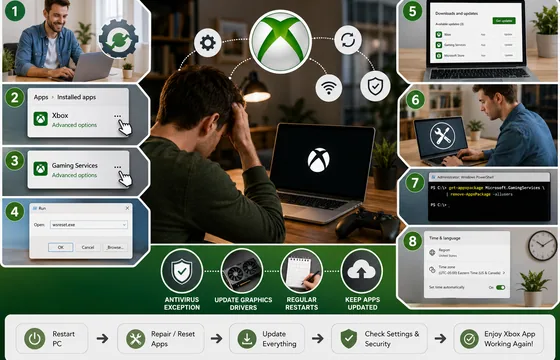
Xbox App Not Working on PC in 2026: 9 Fixes That Actually Work
The good news is that this problem almost always comes down to a small handful of causes: a corrupted background service, an outdated app version, a broken sign-in token, or a Windows update that didn't finish cleanly. None of these require reinstalling Windows. Below is a complete, step-by-step guide to get the Xbox app running again.

Procentive App Review 2026: Features, Pricing, Pros, Cons and Alternatives
The core purpose of Procentive in 2026 is simple: help behavioral health organizations spend less time on admin work and more time with clients. It does this by connecting clinical documentation, scheduling, and billing into a single workflow, so information entered once flows automatically to the next step, whether that's a progress note or an insurance claim.
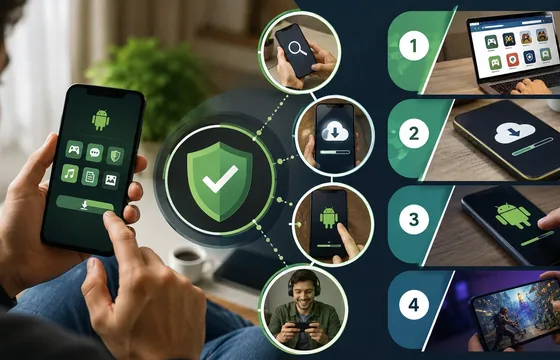
Best Legitimate APK Sites 2026: Verified & Trusted App Download Platforms
Remember: When choosing between apk sites, prioritize transparency, reputation, and your specific needs. The best apk sites in 2026 are those that respect your privacy, verify their content, and operate with genuine user interests in mind. Your digital freedom is worth protecting. Choose wisely. Choose legitimacy. Choose from our verified best apk sites list.