15 Best AI Logo Generators (Free and Paid), Honestly Compared for 2026
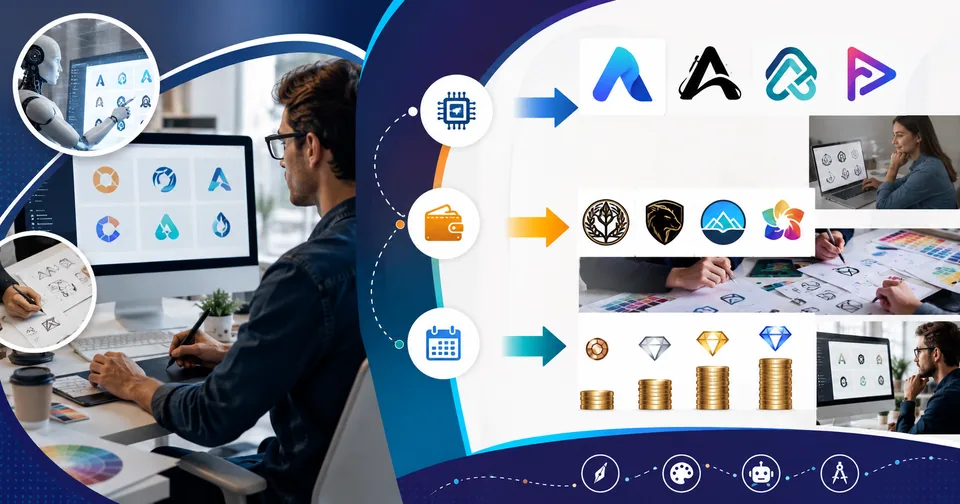
You type your business name into a logo maker, and ninety seconds later there are forty options on the screen. Most of them look like every other startup logo you have seen. One or two look promising. And every so often, one looks a little too close to a brand that already exists.
That is the real experience of using AI logo generators in 2026. The speed is genuine. On the better tools, so is the quality. The catch is the gap between a picture of a logo and a brand asset you can actually print, trademark, and put on a storefront sign. That gap is wider than most roundups admit, and it is exactly where people lose time and money.
To separate the useful tools from the pretty demos, we ran the same brand brief through the platforms below and judged them on the things that matter after the download: file format, editing control, brand variations, usage rights, and whether the mark still reads at the size of a browser tab. Here are the fifteen that earned a spot, what each one is genuinely good at, and the detail most reviews leave out.
The short version
If you want a clean, professional identity today, start with Looka or Brandmark. If your brand will ever appear on signage, embroidery, or large-format print, you need real vector output, and Recraft is the standout there. On a zero budget, Canva and Hatchful get you launched fast. For pure concept exploration, Google's Gemini (Nano Banana) and Midjourney produce the most interesting ideas, though you will rebuild the winner as a proper file afterward. The single thing that trips up most owners is not design at all. It is downloading a PNG when the printer needs a vector, and not reading the usage rights before paying.
How we tested (and how to read the prices)
We used one consistent brand brief, the same made-up company name, the same industry, and the same two-color palette, and pushed it through every tool the same way. A result only counts as usable if it survives a few basic checks:
It exports as a true vector file (SVG, EPS, or PDF), not an upscaled PNG.
It stays editable after generation, so spacing, font, and color can still be fixed.
It comes with the variations a real brand needs: horizontal, stacked, icon-only, and one-color.
The commercial usage rights are stated in plain language before you pay.
It still reads clearly at about 32 pixels wide, roughly the size of a favicon.
Two honest caveats before you rely on anything here. Prices in this guide are approximate starting points and they change often, so confirm the current number on each vendor's own pricing page before you buy. And where this article describes a tool feeling fast, or a mark turning to mush at small sizes, that reflects hands-on testing of these tool types rather than a lab benchmark. Treat it as an experienced starting opinion, then try the free tier yourself before committing.
The three engines behind every AI logo maker
Almost every tool here runs on one of three approaches, and knowing which one you are using explains nearly every complaint people have about AI logos. Template systems combine licensed icons and fonts, so they are fast and safe but tend to feel familiar. Image models paint original pixels, which look striking but arrive as raster files with soft edges. Native vector models output actual editable paths, which is the newest approach and the only one that hands you a production-ready file straight out of the generator.
Engine | What you get | Vector-ready | Best use |
|---|---|---|---|
Template assembly | Licensed icon paired with a font | Usually yes, on paid tiers | Fast, safe, conventional launches |
Diffusion imagery | Painted raster artwork | No | Concept exploration and mood-finding |
Native vector models | True editable paths | Yes | Final production and print files |
Hybrid platforms | AI concepts plus human cleanup | Yes | Brands wanting both speed and polish |
One rule saves a lot of frustration: ask which engine a tool uses before you commit. It predicts your entire experience.
The 15 best AI logo generators compared
Here is the full comparison, followed by a short, honest note on each tool. Vector export usually sits on a paid tier even when a free plan exists.
Tool | Entry price (approx.) | Vector export | The detail most reviews skip |
|---|---|---|---|
Looka | From ~$20 one-time | On higher tiers | The brand kit, not the logo, is the real product; the cheapest package leaves you re-buying files later |
Recraft | Free tier, from ~$12/mo | Native SVG | One of the few that outputs real editable paths instead of a traced copy of a picture |
Canva Logo Maker | Free, Pro from ~$120/yr | Pro only | Free downloads are PNGs with a background; the transparent SVG printers want sits behind the paywall |
Adobe Express | Free, from ~$9.99/mo | Premium only | A font used free in the app may not be licensed for a trademark filing, which nobody flags until you file |
Brandmark | From ~$25 one-time | Included on paid | Its free logo-scoring tool is more useful than the generator for judging whether a mark actually works |
LogoAI | ~$29 to ~$99 one-time | Standard tier and up | One-time pricing genuinely ends; there is no renewal, which is rare in this category |
Tailor Brands | From ~$3.99/mo annually | Higher tiers | Sold as a business-formation service with a logo attached, so the subscription keeps running after design is done |
Zoviz | From ~$19.99 one-time | Full-kit tier | Can read an existing website address and pull your current colors and fonts into a fresh kit |
Ideogram | Free tier, ~$8 to ~$20/mo | No | Best-in-class text rendering, so wordmark concepts come out readable instead of garbled |
Google Gemini (Nano Banana) | Free daily use, from ~$20/mo | No | The most generous free tier here; newer Nano Banana Pro adds sharper text and up-to-4K output, but it is still raster |
Fiverr Logo Maker | From ~$30 one-time | Higher packages | Marks come from real freelancers' portfolios, which makes the commercial rights unusually clear |
BrandCrowd | From ~$14.95/mo | Paid plans | Template-driven, so the same keyword can surface designs other businesses have already bought |
Design.com | Free, paid plans | Paid plans | Generates concepts in the thousands, which quietly becomes decision paralysis |
Hatchful by Shopify | Free | No | Genuinely free high-resolution files, but PNG only, so it is a launch tool rather than a forever tool |
Midjourney | From ~$10/mo | No | The most beautiful concepts and the least usable files; treat its output as a brief for a vector artist |
1. Looka
The logo is almost the free sample here; the brand kit is the real product. Buy only the cheapest package and you will likely re-purchase the files later, so price the kit, not the logo. Strong for clean, conventional brand categories.
2. Recraft
One of the few tools that outputs real editable vector paths rather than a traced approximation of a picture. If you will ever need signage, embroidery, or print, this is where a logo stops being an image and becomes an asset.
3. Canva Logo Maker
Enormous template library and genuinely easy to use, but the free download is a PNG with a background. The transparent SVG most printers actually ask for sits behind Canva Pro, which surprises people at checkout.
4. Adobe Express
Generous free tier and solid generative tools inside the Adobe ecosystem. Watch the fonts: one you use free in the app is not automatically licensed for a trademark filing, a detail that rarely comes up until you file.
5. Brandmark
Its free logo-scoring tool is arguably more valuable than the generator itself; it flags whether a mark is legible and balanced before you commit real money to it.
6. LogoAI
One-time pricing that genuinely ends, with no renewal, which is unusual in a category built almost entirely on subscriptions. Good for owners who want to pay once and move on.
7. Tailor Brands
Sold as a business-formation service with a logo attached, popular with new US LLCs. The subscription keeps running after the design is finished, so cancel deliberately if you only wanted the mark.
8. Zoviz
Can read an existing website address and pull your current colors and fonts into a fresh kit. That makes it handy for a light refresh rather than a full rebrand from scratch.
9. Ideogram
Best-in-class text rendering, which is why its wordmark concepts come out readable instead of garbled. Output is raster, so use it as a concept source and rebuild the winner as a vector.
10. Google Gemini (Nano Banana)
The most generous free tier in this list and a fast way to test twenty directions before paying. The newer Nano Banana Pro sharpened text and added up-to-4K output, so wordmark ideas finally look clean, but it is still a raster image, not a vector file.
11. Fiverr Logo Maker
Marks are drawn from real freelance designers' portfolios, which makes the commercial rights unusually clear compared with a pure generator. A good middle ground between template and full custom.
12. BrandCrowd
Template-driven with a huge library and handy industry filters. Because the templates are shared, search the same keyword twice and you may see designs other businesses have already bought, so customize heavily.
13. Design.com
Generates concepts by the thousand, which sounds great until it becomes decision paralysis. Set your criteria first, then judge against them rather than scrolling endlessly.
14. Hatchful by Shopify
Genuinely free, high-resolution files with no watermark, which is rare. The limit is that it is PNG only, so it is perfect for launching and less useful once you need print or signage.
15. Midjourney
Produces the most beautiful concepts and, honestly, the least usable files. Treat its output as a mood board and a brief for a vector artist, not as a final logo.
Which logo generator fits your situation
Your situation | Practical pick | Why |
|---|---|---|
Launching this week on almost no budget | A free template maker (Canva, Hatchful) | You need something clean on the storefront today, not a full brand system |
Small business that will print and sign | A vector tool (Recraft) | Sign shops and embroiderers reject a PNG every single time |
Ecommerce seller on a hosted platform | The maker built into your platform | It auto-applies to header, favicon, receipts, and emails without manual exports |
Startup preparing to raise money | A vector generator plus a quick human cleanup | Investors read a sloppy mark as sloppy execution |
Content creator or streamer | An image model (Midjourney, Ideogram) | Character-led marks beat corporate geometry for personality-led brands |
Rebranding an established company | Hybrid AI concepts plus a real designer | Equity in an existing mark is worth more than novelty |
Anyone planning to trademark | A tool with documented human editing | Provable human input strengthens your position considerably |
Free vs paid: what you are actually buying
Nearly every tool lets you design for free and charges at the download. Knowing exactly what the money unlocks saves a lot of frustration.
What you get | Typical free tier | Typical paid tier | Does it matter? |
|---|---|---|---|
File format | PNG, sometimes JPG | SVG, EPS, PDF, plus PNG | Yes, vector is non-negotiable for print |
Background | Often white or colored | Transparent | Yes, a white box on a dark header looks amateur |
Resolution | Web size | Print size and unlimited scale | Yes, the moment you order anything physical |
Watermark | Sometimes present | Removed | Yes |
Commercial rights | Limited or unclear | Explicit and usually broad | Yes, more than any design feature |
Brand variations | One lockup | Horizontal, stacked, icon, reversed | Yes, you need at least four in real life |
Editing after purchase | Locked | Unlimited re-edits | Yes, your first version is never your last |
The honest rule: free tiers are perfect for testing directions and launching a hobby project. The moment real money touches your brand, buy the vector file. You can always tidy the web versions later with free online image tools, but that step comes after you own a proper file.
Logo file formats, explained without the jargon
This is the part that quietly costs people money later, and it is the easiest thing to get right at the start.
Format | What it is | Use it for | Watch out for |
|---|---|---|---|
SVG | Editable vector for the web | Websites, apps, responsive layouts | Convert fonts to outlines before export |
EPS | Legacy vector for print | Sign shops, embroidery, large format | Older format, but still what many printers ask for |
Vector container | Sending to printers, brand guidelines | A PDF of a photo is not a vector file | |
PNG | Raster with transparency | Web, social profiles, email signatures | Blurs when scaled up; never send to a printer |
JPG | Compressed raster | Almost nothing logo-related | No transparency, and edges pick up artifacts |
WEBP | Modern compressed raster | Fast-loading web pages | Not accepted by most print or merch vendors |
ICO | Icon container | Browser favicons | Needs a simplified icon-only version |
If a generator will only ever hand you a PNG, you do not have a logo yet; you have a picture of one. Converting between web formats afterward is easy enough with free image and PDF tools, but no converter can invent vector paths that were never there.
Do you actually own an AI-generated logo?
This is the most-searched question about AI branding, and most articles get it half wrong by treating copyright and trademark as the same thing. They are not, and the difference decides how protected your brand really is.
Copyright protects creative expression and, in the United States, requires a human author. In Thaler v. Perlmutter, the U.S. Court of Appeals for the D.C. Circuit affirmed in March 2025 that a work generated by a machine with no human creative contribution cannot be registered, and in March 2026 the Supreme Court declined to hear an appeal, leaving that ruling in place. The U.S. Copyright Office's 2025 guidance adds that prompts alone generally do not count as authorship, because they act as instructions rather than controlling the expressive detail.
Trademark is a different question with a different answer. It protects a source identifier used in commerce, and it asks whether your mark is distinctive, actually used in business, and unlikely to be confused with an existing one. It does not ask whether a human drew it, and the application does not ask whether AI was involved. So a generated logo can be registrable as a trademark while remaining ineligible for copyright. Those two answers do not contradict each other; they answer different questions.
Question | Copyright | Trademark |
|---|---|---|
What it protects | The artwork itself | Your brand identifier in commerce |
Requires a human author | Yes | No |
Pure machine output eligible | Generally no | Generally yes, if distinctive and in use |
Strengthened by human editing | Substantially | Modestly, mainly through distinctiveness |
Protects against a copycat | Only if registrable | Yes, within your class and territory |
The practical workflow experienced brand owners use: generate concepts with a tool, then make substantial human edits to spacing, proportion, typography, and color and keep a record of them; run a clearance search before you commit; and file the trademark before launch rather than after. None of this is legal advice, jurisdictions differ, and the law here is still moving, so speak to a trademark attorney before anything important rides on the answer.
Mistakes that quietly ruin AI-generated logos
Choosing a design at large size and never checking how it looks small.
Accepting the default font pairing without reading its licensing terms.
Keeping a gradient that becomes a gray blob when engraved or embroidered.
Downloading PNG only and discovering the problem at the sign shop.
Skipping a clearance search because the design felt original.
Using an icon that thousands of other businesses generated from the same library.
Building the whole brand before checking the domain and social handles are free.
Never producing a one-color version, which you will eventually need for stamps and merch.
How to write a logo prompt that actually works
Most disappointing results come from vague inputs, not weak models. This sequence consistently produces better output across the tools we tested.
Type the business name exactly as it will appear, including capitalization and spacing.
State the industry in plain words. "Independent coffee roaster" beats "food and beverage."
Give one personality direction, not five. Warm and handmade, or precise and technical, not both.
Name the logo type: wordmark, lettermark, icon plus text, emblem, or abstract mark.
Use two colors maximum. Every extra color multiplies the ways a design fails in one-color print.
Add a negative instruction. "No gradients, no globe icons, no swooshes" does real work.
Ask for a flat, single-color version. If it survives in one color at small size, it is a real logo.
Refine one winner instead of regenerating twenty fresh batches, which only produce noise.
A free test that catches most weak logos: shrink your favorite to about 32 pixels wide and look at it on your phone. That is the size most people actually see it, on a browser tab or an app icon. Anything that turns into a smudge is out, no matter how good it looks on your monitor.
Frequently asked questions
Are AI logo generators good enough for a real business?
For many businesses, yes, especially clean, conventional brands. The better tools produce professional marks in minutes. The limits show up with anything that needs genuine illustration, and with output that only comes as a PNG. Use a generator for the concept and a vector tool for the final file, and the result holds up fine on a website, packaging, and signage.
Can I trademark a logo I made with AI?
Generally yes, if the mark is distinctive and you actually use it in commerce; a trademark application does not ask whether AI was involved. Copyright is the harder part, since U.S. law requires human authorship, so a logo generated with little human input may not be copyrightable even when it is trademarkable. Making and documenting real edits strengthens your position. This is general information, not legal advice; check with a trademark attorney.
What is the real difference between free and paid logo makers?
Almost every tool lets you design free and charges at the download. The money usually unlocks the vector file, a transparent background, print resolution, watermark removal, clear commercial rights, and the extra brand variations you will actually need. Free tiers are great for testing and launching a hobby project; buy the vector once real money touches the brand.
Why do so many AI logos look the same?
Most generators assemble a design from a shared library of icons and fonts, so two businesses in the same industry can land on nearly identical marks. Tools that generate original artwork or true vectors avoid this more often, but even then you should customize heavily and run a quick search for lookalikes before committing.
What file format do I need for printing and signage?
A vector file: SVG for the web, and EPS or PDF for most print and sign shops. Raster formats like PNG and JPG blur when scaled and get rejected by printers. If a tool only gives you PNG, keep it for the web but recreate the mark as a vector before you order anything physical.
Where to start
If you need something professional today, pick a flagship platform like Looka and buy the kit, not just the logo. If your brand will live in the physical world, on signs, packaging, or uniforms, start with a vector tool like Recraft so you are not redesigning in six months. Whichever you choose, make one real human edit, save the vector, run a quick trademark search, and check the mark at favicon size before you commit. That short routine costs nothing and prevents almost every expensive mistake in this guide. When you are ready to build out the rest of your stack, our full AI tools directory covers the design, PDF, and social tools that pair with whatever logo you land on.
Dear friend, we put our heart into this article. If you ever find a wrong fact, please message us using Write For Us so we and our team can make the content more accurate. Thanks, Toolsimpli.
Related posts
AI Game Development Tools Free and Paid: The Complete Category Guide
Making a game used to take a big team, a big budget, and a lot of late nights. Not anymore. AI game development tools free and paid now handle work that once ate up months. They write code, draw characters, build 3D models, record voices, compose music, and even test your levels while you sleep.

AI App Builder Tools Free and Paid: The Complete 2026 Directory
Ten years ago, turning an idea into working software meant hiring a developer or spending months learning to code. That wall is gone. Today you type a sentence, wait ninety seconds, and a working app opens in your browser with a database behind it.

Indexing Checker Tools Compared: Free and Paid Options
You published the page eleven days ago. It is not in search results. You have checked forty times. So you type site: followed by your domain into the search box, count what comes back, and use that number to decide whether you have a problem. That number is not what you think it is. The site: operator is a filter, not a diagnostic. The count it returns is a rough estimate, it fluctuates wildly between refreshes on the same day, and it has never been intended as a measure of what is actually in the index. Building a technical decision on it is like weighing yourself on a scale that reports a different number every time you step on
Citation Checker Tools Compared: Free & Paid Options
Two completely different people search for citation checker tools, and almost every article online serves only one of them. The first is a student, researcher or academic. They have a reference list, and they need to know whether every source in it is real, correctly formatted, not retracted, and not quietly invented by an AI assistant that sounded very confident.

The 15 Best Google Business Profile Tools, Explained in Full
Open almost any article about business profile tools and you will find the same instruction near the top: download the Google My Business app. That app does not exist. It was retired, and profile management moved directly into Search and Maps. The product was renamed from Google My Business to Google Business Profile back in November 2021, which means any guide still using the old name and pointing you toward a phantom download has not been checked in years.

The 15 Best Local Rank Checker Tools, Explained in Full
A plumber calls his agency, furious. “I searched my own service and I’m nowhere. You told me we were ranking third.” Both of them are right. That is the strange, maddening truth at the heart of local search, and it is the reason this entire category of tools exists.

Plagiarism Checker Tools Compared: Free & Paid Options
A student hits submit at 3am, then spends the next four days refreshing her email because a checker gave her 24% and she does not know whether that number means she is fine or finished. That anxiety is the reason this category exists, and it is also the reason most articles about it are unhelpful. They list ten tools, rank them by nothing in particular, and never explain the one thing every reader actually wants to know: what does the percentage mean, and when should I be worried?

The 10 Best AI Spreadsheet Tools and Chrome Extensions for 2026
Plenty. Native AI in Excel and Google Sheets is often bundled into plans you already pay for. uBlock Origin Lite and Bitwarden's core plan are free, Grammarly and Sider have capable free tiers, and formula and analysis tools like Formula Bot and ChatGPT cover light use at no cost. Paid tiers become worth it for serious model auditing, enterprise security controls, or high-volume work — otherwise, free plus a bit of discipline is the right answer for most people.

Top 9 SEO Reporting Tools: Features & Pricing 2026
It is 8:47 a.m. on the first Monday of the month. Six client reports are due by noon. Your rankings live in one tool, your traffic lives in another, your backlinks live in a third, and your conversions are stuck inside a spreadsheet somebody renamed “FINAL_v4_real.xlsx” back in March. That gap is exactly what SEO reporting tools were built to close.