Link Verification Code Text: What It Is and How It Works
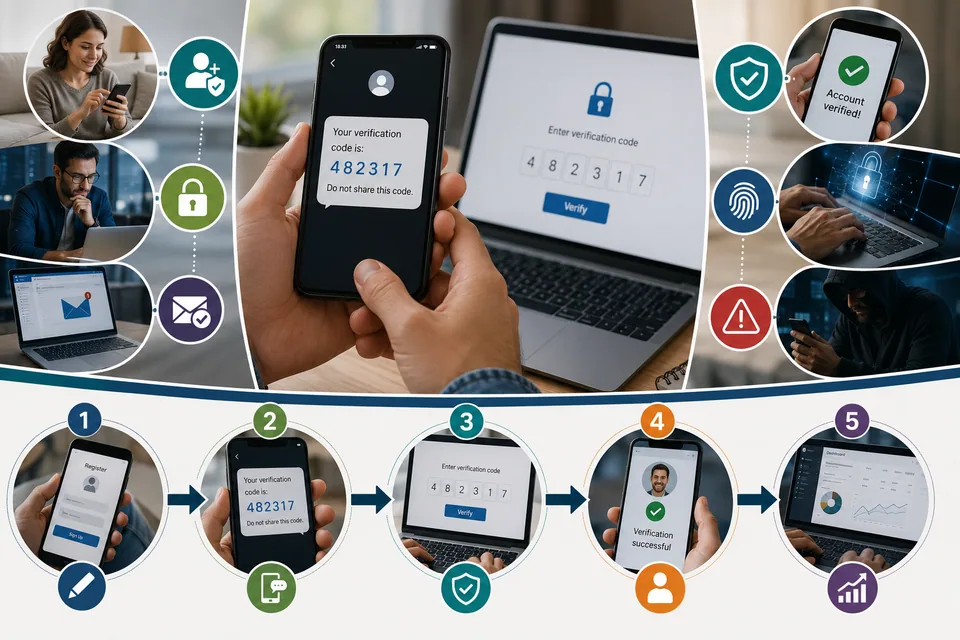
You pick up your phone and there it is: “149363 is your Link verification code.” You weren't logging into anything, you don't remember signing up for “Link,” and the message came from a strange five- or six-digit number like 787473, 65161, or 31061. So what is a link verification code text, and should you be worried?
Here's the short version. A link verification code text is a one-time security code a service sends to confirm someone's identity. Most of the time it's harmless – usually a typo, or the Stripe “Link” checkout confirming a saved card. Sometimes it's a sign that someone is trying to get into an account tied to your number. And in some cases the message itself is a scam. The trick is telling those apart, and that takes about a minute once you know what to look for.
This guide breaks down every part of it: what the message means, why you keep getting one you didn't request, who's behind those short codes, how the same text looks on an iPhone, how to spot a link verification code text scam, and the exact steps to shut the whole thing down. There are tables, side-by-side comparisons, and pros and cons throughout so you can jump straight to your situation.
What is a link verification code text?
A verification code is a short, temporary number – usually four to eight digits – that a website or app sends to prove you're the real account owner. It's one half of two-factor authentication (2FA), also called a one-time passcode (OTP). Your password is the thing you know; the code texted to your phone is the thing you have. Put together, they make it much harder for anyone with just your password to log in.
Now the part that confuses almost everyone. In many of these messages the word “Link” has a capital L – “…is your Link verification code.” That “Link” isn't talking about a website link at all. It's the name of Stripe Link, Stripe's one-click checkout that saves your card and phone number so you can pay faster on any store that uses Stripe. When you check out somewhere and use Link, it texts you a code to confirm it's you. That single detail explains most “your Link verification code text” messages – and why people who swear they don't have a Stripe account still get them. If you ever saved a card for faster checkout on any Stripe-powered site, you've used Link.
So a link verification code text message can mean three very different things: a normal checkout or login step you triggered, a login attempt you didn't, or a scam dressed up to look like the first two. The rest comes down to reading the message carefully. Here's what every part of one actually tells you.
Part of the message | What it means and what to check |
|---|---|
Sender / short code | A 5–6 digit number such as 787473, 65161, or 31061 – not a normal phone number. It tells you which platform routed the text (Stripe, Vonage, a carrier), not always the brand. |
The code itself | A 4–8 digit one-time passcode. It is useless to anyone else unless you hand it over or they intercept it. |
“…is your Link verification code” | The wording. Capital-L “Link” usually means Stripe Link checkout, not a clickable URL. |
Expiry line | Often “valid for 3–5 minutes.” Real codes expire fast on purpose. |
“Don't share this code” warning | Genuine texts tell you to keep the code private. No real company ever asks you to send it back. |
A tappable link (only sometimes) | A clickable URL is the part scammers add. Real code texts almost never need you to tap anything. |
How verification codes actually work behind the scenes
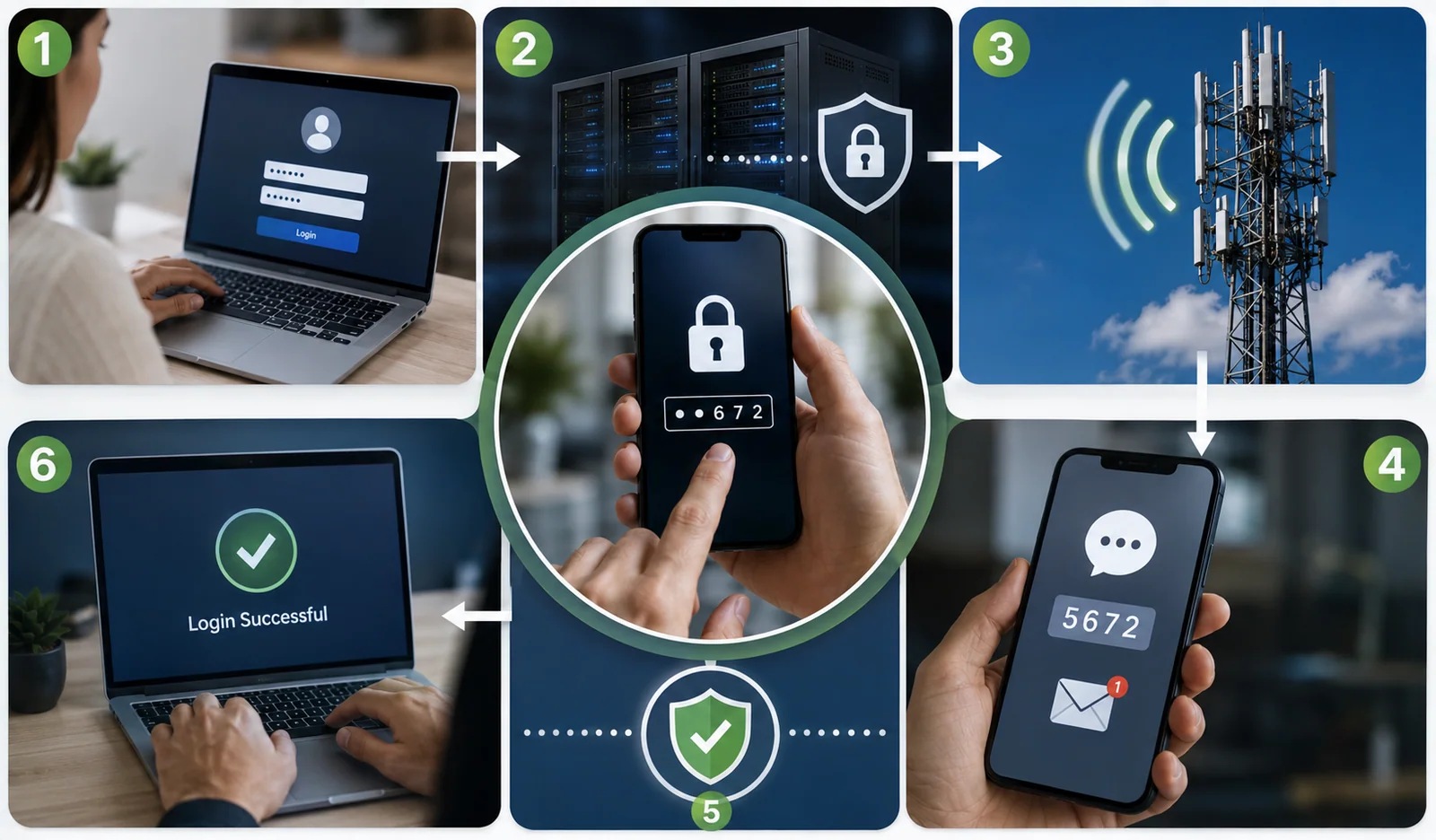
It helps to know what's happening the moment one of these texts lands. When you (or anyone) enters a phone number at a login screen or checkout, the service generates a one-time passcode and hands it to a messaging provider – companies like Stripe, Twilio, or Vonage. That provider sends it out over a short code, which is why the text arrives from 787473 or 31061 instead of a normal number. The code is usually valid for only a few minutes, then it expires and becomes useless. That short lifespan is deliberate: even if someone sees the code later, it's already dead.
There are really two flavors of these messages, and telling them apart clears up a lot of confusion. The first is account 2FA: you're logging into email, a bank, or an app, and the code confirms it's you. The second is transaction or checkout verification, which is what Stripe Link does – it confirms your identity at the point of payment rather than at a login. A “your Link verification code text message” is almost always the second kind. Both are normal security, and both use the exact same delivery pipes, which is precisely why a genuine code and a scam can look so similar at a glance.
Services rely on codes because a password on its own is weak. Passwords get reused, guessed, and leaked in breaches. Adding a code you have to receive on your phone means a stolen password alone isn't enough. The catch – and the reason you're reading this – is that the same convenience that protects you also means a stranger's typo or a scammer's script can send a code straight to your phone without any action on your part.
Why am I getting a link verification code text?
If you didn't ask for it, one of a few things is going on. Ranked from most to least common, here they are – and honestly, most land on the harmless end.
Someone mistyped their number. This is the top reason by a mile. People fat-finger a digit when signing up or checking out, land on your number, and the service texts the code to you. Yahoo, Google and Stripe have all documented this exact thing. The code is worthless to whoever mistyped, so the attempt just dies.
You used Stripe Link before. If you saved a card for one-click checkout anywhere, Link may text a code the next time that number is used at a Stripe checkout. That's a normal “your Link verification code text message,” not an attack.
Someone is trying to log into your account. If the code is for an account you actually own and you weren't logging in, someone may have your password and be trying to get in. The code is the last thing stopping them. This usually traces back to a password leaked in an old breach and reused across sites (called credential stuffing).
A password reset you didn't start, an old account still tied to your number, or a straight-up scam text round out the list.
Reason you got the code | How common | Risk | What to do |
|---|---|---|---|
Someone mistyped their phone number | Very common | Low | Ignore and delete. Nothing to fix. |
You saved a card with Stripe Link | Common | Low | Normal checkout step – no action needed. |
Someone is trying to log into your account | Common | High | Change that password; turn on 2FA. |
Password reset you didn't request | Occasional | High | Secure the account through its official app. |
Old / forgotten account on your number | Occasional | Low–Med | Review and remove your number from it. |
Scam (smishing) text | Common | High | Don't tap, don't reply. Report and delete. |
Who is texting you? Decoding 787473, 65161, and 31061
Those odd little numbers are called short codes – 5- or 6-digit numbers that businesses lease to send texts at scale. In the U.S. they're managed through the CTIA short code registry. The catch is that many are shared or run by a messaging gateway, so a single short code can carry codes from dozens of unrelated companies. That's exactly the ambiguity scammers try to hide behind, so the wording inside the message matters more than the number it came from. Here's a breakdown of the ones people search for most.
Short code | Who uses it | Typical message you'll see | Legit? |
|---|---|---|---|
787473 | Stripe – including Stripe Link. Many apps route through it (even Claude.ai has used it). | “149363 is your Link verification code.” | Yes – real Stripe code |
65161 | Shared code carrying Stripe verification codes; some users also report social-login codes. | “Your Stripe verification code is 133060. Don't share this code.” | Yes – but shared, so read it |
31061 | Vonage / Nexmo 2FA gateway – used by Garmin, Shop Pay, DocuSign, Name.com and others. | “Your Docusign verification code is 917731.” | Yes – gateway; sender is named |
611611 | Carrier gateway (TracFone / Total Wireless) relaying codes to their numbers. | “Your Messenger verification code is…” | Yes – carrier relay |
Link verification code text from 787473
A link verification code text from 787473 is almost always Stripe. Text HELP to it and you'll get pointed to Stripe support; that's the giveaway. It carries Stripe Link checkout codes and login codes for services built on Stripe. If you get one out of the blue, it usually means someone entered your number at a Stripe checkout, or you're using Link yourself. It's real – but you should still never share the code or tap any link that arrives alongside it.
Link verification code text 65161
A link verification code text from 65161 is another Stripe-linked short code. People commonly report getting “Your Stripe verification code” messages here, sometimes several in a morning, even when they have no Stripe account. Reply HELP and it directs you to Stripe support. Because 65161 is shared, the safest habit is to read the sender named in the text rather than trusting the number alone.
Link verification code text 31061
A link verification code text from 31061 comes through the Vonage/Nexmo messaging gateway, registered years ago for two-factor authentication. Because it's a gateway, the same number delivers codes for Garmin, Shop Pay, DocuSign, Name.com and plenty more. The company should be named in the message body – if it isn't, treat that as a red flag. A code from 31061 is legitimate infrastructure; the question is only whether the login behind it was yours.
How to look up any short code yourself
If a code arrives from a number you don't recognize, you can usually identify it in under a minute. Start with the message itself – a legitimate one almost always names the company (“Your Docusign verification code…”). If it doesn't, that silence is a clue in itself. You can text HELP to the short code, which by U.S. rules should return the sponsoring brand and a support contact; texting HELP to 787473, for example, points to Stripe support. There are also reverse short-code lookup directories online, and the CTIA registry that governs U.S. short codes. Just don't let a lookup lull you into trusting a bad message: a real short code can still carry a scammy text, so the wording and the ask always matter more than the number.
Which apps and services send these codes?
Almost anything with a login can send a verification code: your bank, email, Amazon, PayPal, Google, social apps, DocuSign, Garmin, and one-click checkouts like Stripe Link and Shop Pay. If your number is on file anywhere, a login or checkout attempt there can text you. A few specific ones come up again and again in searches.
InVideo link verification code text message
InVideo is a popular online AI video-creation tool, and it texts a one-time code when you sign up or log in. So an InVideo link verification code text message usually means someone – possibly you on another device – tried to sign in or register with your number on InVideo. If it wasn't you and you have an InVideo account, change that password and turn on stronger 2FA. If you don't have one, it's most likely a mistyped number, and you can ignore it. The same logic applies to any app name you see in these texts: the message names the service, and that tells you where the login attempt happened.
Service | Why you'd get a code |
|---|---|
Stripe Link | Confirming a saved card at one-click checkout, or a new checkout using your number. |
Banks / PayPal / Venmo | Login, password reset, or confirming a payment or transfer. |
Google / Apple / Microsoft | New-device sign-in, password reset, or a security change. |
Amazon | Login from a new device or a suspicious-activity check. |
DocuSign / Garmin / Shop Pay | Account login or checkout confirmation (often via 31061). |
InVideo and similar apps | Signup or login OTP tied to your phone number. |
“Is your Link verification code” – what the exact wording tells you
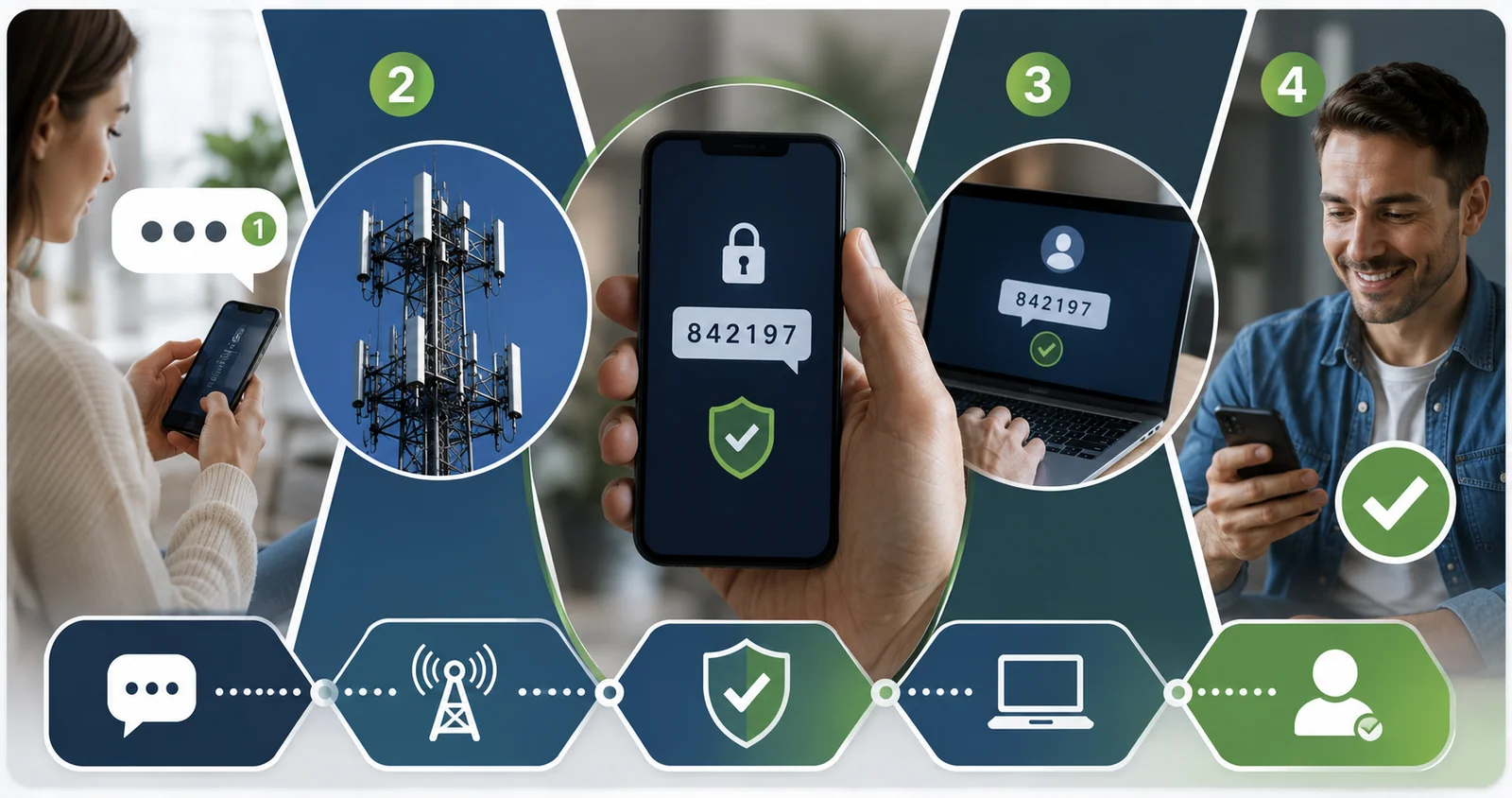
The standard, legitimate message reads something like: “149363 is your Link verification code” or “Your Stripe verification code is 133060. Don't share this code with anyone; our employees will never ask for the code.” Notice what a real one contains: a plain numeric code, the name of the service, a short expiry, and a warning not to share it. That's it. There's nothing to click and nothing to reply to.
A fake “is your Link verification code” text breaks that pattern. It adds a clickable link, invents urgency (“verify in 10 minutes or your account locks”), asks you to reply with the code, or tells you to call a number to “confirm.” The wording is the tell. When the message just states a code and a warning, it's doing its job. When it wants you to act, tap, or reply, that's when to slow down.
Legit or scam? How to tell a real link verification code text from a fake
Most genuine codes share a handful of traits, and most scams break at least one. Run the message through this comparison before you do anything.
Sign | Probably legitimate | Probably a scam |
|---|---|---|
Links | Just a code and short text, no link to tap | Contains a link, often shortened or odd-looking |
Timing | Arrived right after you logged in or checked out | Came out of nowhere, unconnected to anything |
Tone | Calm; tells you not to share the code | Urgent threats – “act now or lose access” |
Ask | Asks nothing of you | Asks you to reply with the code or call a number |
Sender | Names a service you actually use | Vague, misspelled brand, or a look-alike web address |
The one rule that never fails: a real company will never ask you to share, reply with, or read out a verification code. Your bank, Stripe, Amazon, PayPal – none of them. The code exists to keep other people out, so anyone asking you to hand it over is trying to get in.
Scammers also lean on the “Link” confusion on purpose. They know a random link verification code text looks routine, so they mimic it and slip in a real hyperlink. If you only remember one thing about a link verification code text scam, make it this: the legitimate “Link” (Stripe) never needs you to tap a link, and the dangerous “link” is the one you should never tap.
Real-world scenarios: which one is you?
Abstract advice only goes so far, so here are the situations people actually land in, and the read on each.
“I got one code from 787473, no link, and I've shopped online recently.” Almost certainly Stripe Link confirming a checkout, or a stranger's typo. Nothing to do beyond deleting it if it wasn't you.
“I got a code for my own email that I didn't request.” Treat this as a signal your password may have leaked. Change it now to something unique and switch on 2FA. Don't share the code.
“Three codes hit in five minutes from different services.” Someone is likely running your leaked credentials across sites. Secure your email first, then any account using the same password.
“The text has a code AND a link saying to verify or my account locks.” That's a link verification code text scam. Don't tap, don't reply. Forward to 7726, report, and delete.
“I got an InVideo (or other app) code and I don't use it.” A mistyped number. Ignore it. If you do use the app and didn't log in, change that password.
What scammers actually want – and the tricks they use
A verification-code scam has three possible payoffs, and it helps to know which one is aimed at you.
The code itself – if they already have your password, the code is all they're missing, so they'll push you to say it or type it somewhere.
A link click – the link usually leads to a copycat login page that harvests your username and password, or quietly tries to install malware.
A reply – even “STOP” or “wrong number” confirms a real person is on the line, which usually brings more scam texts, not fewer.
Two tricks show up constantly. The first is the “read me the code” call: you get a genuine code because the attacker just tried your stolen password, then your phone rings and a fake “security team” asks you to read it back. It sounds convincing because the code is real – but reading it back completes their login. Hang up. The second is the friendly wrong-number text: “Hi! I accidentally used your number for my account, can you send me the code?” It's never an accident. The code is for your account, and sharing it hands over access.
Can someone really hack me with just a code? The honest answer
No – not with the code alone. A verification code is only the second half of a login. To use it, an attacker also needs the first half: your password, or control of the account's recovery. That's why a code sitting unshared on your phone is a dead end for them. It also explains why scams are built around getting you to volunteer the code, because without your cooperation the code does exactly what it's designed to do and blocks them.
There is one exception worth naming: if an attacker has taken over your phone number through a SIM swap, codes route to their device and the “never share it” rule can't help, because they receive it directly. That's rare and takes real effort on their part, and it's the main reason security experts nudge people toward authenticator apps and passkeys, which don't depend on your number at all. For the everyday link verification code text you didn't request, though, the reassuring truth stands: reading it changes nothing, and keeping the code to yourself keeps you safe.
Both a wrong reaction and total inaction carry risk, so it helps to see them side by side.
Response | Pros | Cons / risks |
|---|---|---|
Share the code or tap the link | None | Hands the attacker your account or installs malware |
Reply (even STOP) | Feels like you're opting out | Confirms your number is active; invites more texts |
Ignore a code for YOUR account | No effort | If your password leaked, the attempt keeps coming |
Don't share, then secure the account | Stops most attacks; low effort | Takes a couple of minutes |
Getting a link verification code text you didn't request
A link verification code text you didn't request is not, by itself, proof you've been hacked – reading a text can't compromise anything. It's a prompt to check, not to panic. Here's the ordered response for any code that shows up unrequested or not requested by you.
Don't share the code with anyone, by text, call, or chat. This single rule stops most attacks.
Don't tap any link in the message. To check an account, open its app or type the address yourself.
Don't reply – not even to opt out. Replying confirms your number is live.
Check the account your own way and look at recent logins if it's one you own.
Change the password if you got a login or reset code you didn't trigger, and use one you don't reuse anywhere.
Report and delete: forward the text to 7726 (SPAM), report it at reportfraud.ftc.gov, then delete it.
If it was clearly a one-off with no link and no follow-up – the classic random link verification code text – you can skip most of this and just delete it.
Link verification code text on iPhone: what to check
The message is the same on any phone, but iPhone gives you a few specific tools. If you're getting a link verification code text you didn't request on iPhone, here's the exact path to calm it down and lock things up.
Filter unknown senders: Settings > Apps > Messages > turn on Filter Unknown Senders. Codes from numbers you've never texted drop into a separate list.
Report junk: under a suspicious message, tap Report Junk to flag it to Apple and your carrier.
Block the sender: tap the number at the top, then Block this Caller.
Forward to 7726: copy the text and send it to 7726 so your carrier can block similar messages.
Harden your Apple Account: Settings > [your name] > Sign-In & Security, confirm two-factor authentication is on, and change your password if a code you didn't request was for Apple.
One reassurance: getting a link verification code text you didn't request on iPhone does not mean your iPhone is infected. iOS doesn't get compromised just by a text landing in Messages. The risk only starts if you tap a link or share the code. Android users have the same options in slightly different places – here's how they line up.
Action | iPhone | Android |
|---|---|---|
Filter unknown senders | Settings > Apps > Messages > Filter Unknown Senders | Messages > Settings > Spam protection |
Report junk / spam | Tap “Report Junk” under the message | Long-press the message > Report spam |
Block the sender | Tap number > Block this Caller | Tap sender > Block / Report |
Forward to 7726 (SPAM) | Supported | Supported |
Strengthen account 2FA | Settings > [name] > Sign-In & Security | Google Account > Security |
What to do if you already clicked the link or shared the code
Don't panic, but move fast – speed is what limits the damage. Work through whichever applies.
Shared the code: go straight to the real account, change the password, and check whether the recovery email, phone, or forwarding was changed.
Clicked a link and entered a password: change that password everywhere you used it – one reused password is all a credential-stuffing list needs.
Clicked but typed nothing: update your phone's software and run a security scan, since some links attempt a background download.
Entered card or bank details: call your bank, report it, and ask about fraud monitoring.
Gave up a Social Security number: file a recovery plan at IdentityTheft.gov and consider reporting to the FBI at ic3.gov.
How to stop getting these texts
You can't control who mistypes your number, but you can cut the login attempts and make a stray code harmless. A few habits do most of the work.
Use a unique password for every account with a password manager. Most surprise codes trace back to a reused password that leaked elsewhere.
Check your email against known breaches with a free tool like Have I Been Pwned, so you know which passwords to retire.
Move from SMS to an authenticator app or passkey where offered. App codes aren't tied to your number and can't be grabbed in a SIM swap.
Manage Stripe Link at link.com if the codes are Link checkout confirmations – you can review or remove your number there.
Ask your carrier for a SIM lock or port-out PIN, a free setting that blocks your number from being moved to another SIM.
Turn on your phone's spam filtering and report junk to trim the volume before it reaches you.
If you're weighing which second factor to switch to, here's how the common ones compare.
Method | Pros | Cons |
|---|---|---|
SMS text code | Works on any phone; nothing to install; far better than no 2FA | Can be intercepted via SIM swap; tied to your number; phishable |
Authenticator app | Not tied to your number; works offline; resists SIM swaps | Need the app and device; plan for recovery if you lose the phone |
Passkey | Phishing-resistant; nothing to type; very strong | Not supported everywhere yet; set up per device |
What Reddit and other users report
Search “link verification code text reddit” and you'll find the same stories on repeat: people getting several codes in a few minutes, codes from Stripe short codes when they insist they have no Stripe account, and “your Link verification code” texts that make no sense until someone points out Stripe Link. The useful pattern across those threads matches everything above – a burst of codes usually means someone is poking at accounts tied to your number, and a single stray one is usually a typo or a Link checkout.
One caution: forum advice is a mixed bag. For every solid tip there's someone suggesting you reply to the sender or click through to “unsubscribe,” which is exactly what you shouldn't do. Treat Reddit as a place to confirm you're not alone, not as a security authority. When the stakes are real – money or identity – lean on the account's official app and the steps here instead.
When repeated codes mean a bigger problem
A single stray code is nothing. A pattern is different. If codes from several services arrive in a short window, someone may be working through a list of your accounts. Change the passwords on your most important ones first, starting with email – whoever controls your inbox can reset almost everything else.
Watch for one serious sign: your phone suddenly losing signal for no reason. In a SIM-swap attack, a criminal convinces your carrier to move your number to their SIM, and from that moment every call and text – including your codes – goes to them. If your service drops and won't come back, call your carrier right away from another phone. Sudden loss of service plus a burst of account alerts is worth treating as an emergency, not a coincidence. For nearly everyone else, an unexpected code is just a nudge to use a strong, unique password and keep 2FA switched on.
The 30-second version
If you only have a moment, here's the whole guide boiled down. A link verification code text is a one-time security code, and “Link” usually means Stripe's checkout, not a website link. A single code with no link is almost always a typo or a normal checkout – ignore it. A code for an account you own that you didn't trigger means change that password and turn on 2FA. Any message with a link, urgency, or a request to reply or share the code is a scam – don't tap, don't reply, forward it to 7726, and delete. Never share a code with anyone, no matter who they claim to be. That's it.
Frequently asked questions
What is a link verification code text, in plain terms?
It's a one-time security code sent by text to confirm your identity for a login, password reset, or checkout. When the message says “your Link verification code,” the capital-L “Link” usually refers to Stripe Link, Stripe's one-click checkout – not a website link.
Why am I getting a link verification code text I didn't request?
Usually because someone mistyped their number and it landed on yours, or because a number you saved with Stripe Link was used at a checkout. Less often, it means someone is trying to log into an account tied to your number. If it's for an account you own and you weren't logging in, change the password to be safe.
Is a link verification code text from 787473, 65161, or 31061 a scam?
The short codes themselves are legitimate – 787473 and 65161 are tied to Stripe, and 31061 is a Vonage/Nexmo 2FA gateway used by many apps. The number isn't the problem. Judge the message: if it just states a code with no link and no demand, it's real. If it adds a link, urgency, or asks you to reply, treat it as a scam.
Is it safe to ignore a random link verification code text?
Often, yes. A single code with no link, no follow-up, and no login on your side is almost certainly a typo, and deleting it is fine. Act only when the code is for an account you own and you didn't trigger it, or when the text includes a link or pressure to act.
I got a link verification code text I didn't request on my iPhone – was I hacked?
Not from the text alone. An iPhone isn't compromised just because a code lands in Messages. The risk starts only if you tap a link or share the code. Filter unknown senders, report junk, and if the code was for your Apple Account, change that password and confirm two-factor authentication is on.
Why do I get “your Link verification code” if I don't have a Stripe account?
Stripe Link works across any store that uses Stripe, so you may have used it once at a merchant without thinking of it as a “Stripe account.” A stray code can also mean someone mistyped your number at a Stripe checkout. If it keeps happening, you can manage or remove your number through Link, and never share the code.
The habit that covers almost every version of this – 65161, 31061, 787473, InVideo, iPhone or Android, requested or not – is the same: read the message, never share the code, never tap a surprise link, and if it's for an account you own, go secure it directly. Do that, and a link verification code text stays exactly what it's meant to be: a small speed bump for anyone who isn't you.
Hey reader, we hope this article made your search easier. If you notice wrong information, please contact us on Write For Us so we can update it quickly. Warm regards, Toolsimpli.