Clay County Board Of County Commissioners Meeting Minutes Software
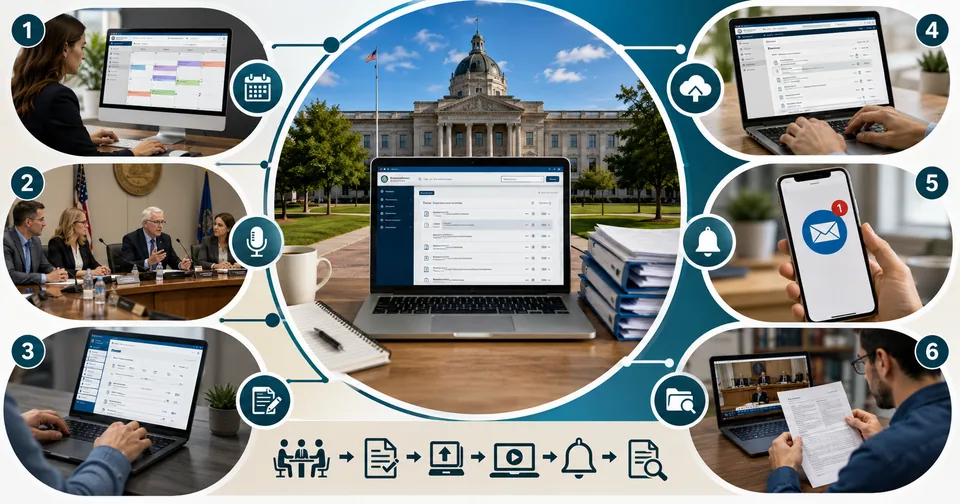
If you've ever tried to find out what your county commissioners decided at last month's meeting, you've probably run into an agenda page, a minutes archive, or maybe a video replay button. There's actually several places in the country called Clay County, including ones in Florida, Minnesota, Missouri, Kansas, and South Dakota, and each one publishes its board of commissioners' meeting minutes a little differently. Behind most of them sits the same kind of tool: local government agenda and meeting management software.
This guide explains how that software works, why counties use it, and how residents can actually find and read the minutes they're looking for.
Why Meeting Minutes Matter
Meeting minutes aren't just a formality. They're the official, legally binding record of what a board of county commissioners actually decided, including motions, votes, and the final disposition of every agenda item. Courts, auditors, and residents rely on that record. That's why most counties assign a clerk to the board whose specific job is keeping accurate minutes and maintaining them as permanent public records.
Because those records carry legal weight, counties have moved away from typed Word documents stored on a shared drive. Instead, most now rely on dedicated agenda and meeting management platforms that standardize how minutes get created, approved, and published.
How Different Clay Counties Publish Minutes
Location | How Minutes Are Published |
Clay County, Florida | Agendas and minutes posted online by county administration; older records before June 2009 require a public records search |
Clay County, Minnesota | Minutes and live video posted online; official record remains the approved written minutes, not the video stream |
Clay County, Missouri | Searchable online agendas, minutes, and video for boards and commissions |
Clay County, Kansas | Agenda Center with current and archived agendas and minutes for all boards and commissions |
Clay County, South Dakota | Searchable PDF minutes organized by year, with a keyword search function built in |
The Software Behind the Scenes
Many counties, including several Clay Counties, run their public meeting pages through platforms built by companies such as CivicPlus, whose agenda and meeting management product was formerly known as CivicClerk. This kind of software is designed specifically for local government clerks, and it does a few things that a generic word processor can't.
What Agenda and Meeting Management Software Typically Does
Automates agenda creation, cutting preparation time that used to take days down to minutes
Compiles minutes automatically during the meeting instead of requiring manual transcription afterward
Publishes finalized agendas and minutes directly to the county's public website
Records motions, votes, and speaker information in a structured, searchable format
Supports live streaming and archived video tied to specific agenda items
Generates both PDF and Word versions of finished minutes for easy distribution
One clerk quoted in CivicPlus's own materials described the shift bluntly: what used to take a full day of hunting down documents and compiling notes now takes about an hour, because the software compiles the record automatically as the meeting happens.
Finding Minutes for Your Own Clay County
Because there are multiple counties with the same name, the fastest way to find the minutes you're actually looking for is to search using both the county name and the state, for example "Clay County Florida board of county commissioners minutes" rather than just "Clay County minutes." Most counties organize archives by year, and several offer a built-in keyword search across PDF documents, so you can search for a specific topic, vote, or commissioner's name without opening every file one at a time.
If you're planning to review several years of archived minutes, it can help to download the PDFs locally and run your own text search across them. Tools like ToolSimpli's PDF tools can combine multiple minutes documents into a single searchable file, and the text tools section is handy if you need to extract and compare specific sections across meetings.
What Residents Can Typically Access
Record Type | Typical Availability |
Meeting agendas | Posted before the meeting, usually several days in advance |
Approved minutes | Posted after board approval, sometimes with a delay of a few weeks |
Live video or audio | Streamed during the meeting on the county website, YouTube, or a public access channel |
Archived recordings | Available on-demand after the meeting for later review |
Older paper records | May require a formal public records request through the clerk's office |
A Note on the Official Record
It's worth remembering that video and audio recordings, however convenient, are usually not considered the official record. Most counties state explicitly that the approved written minutes are the legal record of proceedings, while video is offered only as a public convenience. If you need something for legal or research purposes, always confirm you're working from the approved minutes rather than a video timestamp.
Why Counties Moved to Dedicated Software
Before platforms like CivicClerk existed, agenda preparation was largely a manual process. Clerks would gather reports from every department, format them into a single packet, and then repeat much of that work again after the meeting to produce final minutes. Case studies from clerks who made the switch describe cutting agenda preparation time by 40 to 50 percent, and reducing what used to be a full day of minute-taking down to about an hour.
That time savings matters beyond convenience. Clerks are usually the primary point of contact for public records requests, open meetings law compliance, and coordinating with elected officials, so freeing up hours previously spent on manual formatting lets that staff spend more time actually serving residents and answering questions.
Public Meeting Compliance and Open Government
Counties are generally required to follow open meetings laws, which set rules for how far in advance an agenda must be posted, what has to be included in the official record, and how the public can access it. Agenda management software helps counties meet those requirements consistently by standardizing the publishing workflow instead of relying on whichever staff member happens to be preparing that week's packet.
Many of these systems also include public-facing portals where residents can subscribe to email notifications whenever new agendas or minutes are posted, rather than needing to check the county website manually. If you're following a recurring issue, such as a zoning decision or a budget line item, setting up a notification subscription is usually far more reliable than checking back every few weeks.
Tips for Researching Older Minutes
Search by both county name and state to avoid confusing multiple Clay Counties
Check whether the county's online archive covers the year you need, since older records sometimes require a separate public records request
Use any built-in PDF search feature before downloading and searching files individually
Note the meeting date and agenda item number when you find a relevant reference, since board actions are usually indexed that way
Cross-reference video timestamps with the approved written minutes if you need something citable for research or legal purposes
Getting Started
If you're trying to track a specific issue through your local Clay County government, start on the county's official agendas and minutes page, confirm you have the right state, and use the built-in search tools before resorting to a public records request. For most day-to-day questions, the answer is already published online, thanks to the same agenda management software that's become standard across county governments nationwide.
Related posts
Recovery Home Management Software: What It Is and Why Your Facility Needs It
At its core, this type of software centralizes everything related to running a recovery home. Instead of keeping resident files in one place, payment records in another, and compliance documents in a folder on someone’s desktop, everything lives in one system your whole team can access.

Common Account Audit Software Used in Kenya: A Practical Overview
Before naming specific tools, it helps to understand the different categories, since most firms end up using more than one type together.

WhiteSnow Software: Who They Are and What They Actually Do
WhiteSnow Software is a real, established software consultancy with over a decade in the industry and a genuine product — Axonator — that it has continued to develop and support. Like any vendor, the right move is to verify current details directly with the company, request references, and compare their offering against your specific project needs rather than relying solely on any single source, including this one.
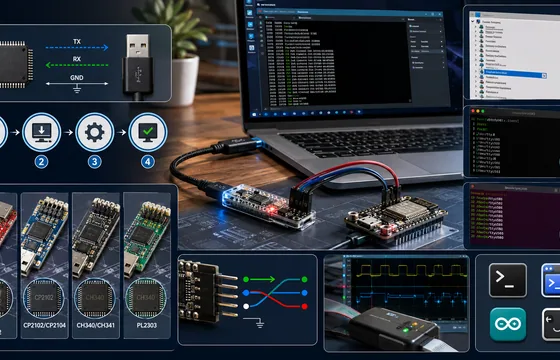
UART USB Software: A Practical Guide for Hobbyists and Engineers
If you’ve installed the right driver, confirmed your wiring, and matched your baud rate, but you’re still getting garbage data, the problem might not be software at all. A cheap USB logic analyzer lets you actually see the electrical signal on the TX/RX lines, which is often the fastest way to catch wiring or timing issues that software troubleshooting alone won’t reveal.
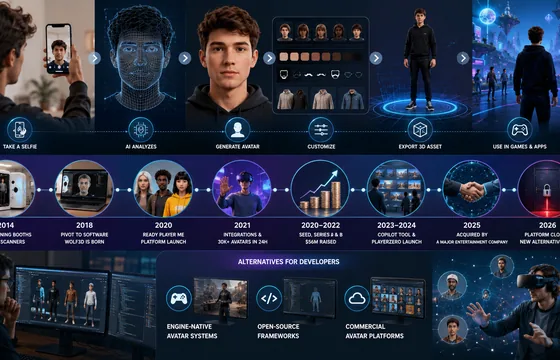
Wolf3D Software: The Company Behind Ready Player Me’s 3D Avatars
The Wolf3D story is a useful case study for anyone building software in a fast-moving space like the metaverse or 3D avatar tools. A hardware-first idea pivoted into a software product, found real traction by solving a genuine developer pain point, and eventually became valuable enough to attract a major acquisition. It’s also a reminder that platforms you build on top of can shift quickly, so keeping your project’s assets portable and documentation organized is worth the extra effort.
BestOutcome PPM Software Company Overview
BestOutcome has built a long track record in the PPM space, particularly among public sector and healthcare organizations that need rigorous governance and reporting. For organizations already juggling multiple projects and struggling to get a clear, current picture of progress, PM3 is a serious option worth including in any shortlist. For smaller teams running one or two projects, though, a lighter tool is probably the better starting point.