Recovery Home Management Software: What It Is and Why Your Facility Needs It
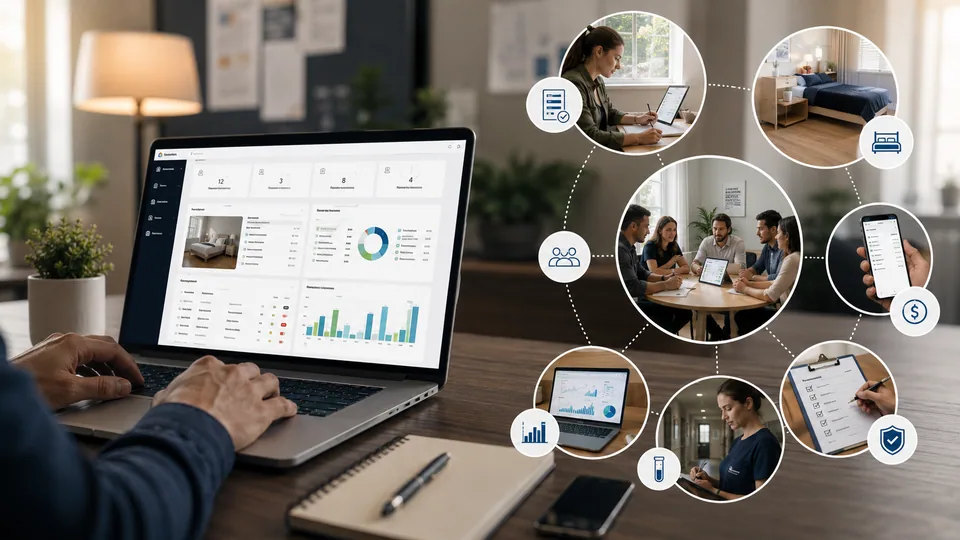
Running a sober living home or recovery residence is a lot more than handing someone a key and a bed. You’re juggling intake paperwork, bed availability, house rules, drug testing schedules, rent payments, staff shifts, and — most importantly — keeping track of how each resident is actually doing. Try managing all of that with sticky notes and spreadsheets, and something eventually slips through the cracks.
That’s where recovery home management software comes in. Built specifically for sober living homes, halfway houses, and other recovery residences, it’s designed around the real, day-to-day needs of the people who run these homes and the residents who live in them. This guide walks through what the software actually does, why it matters, and what to look for before you commit to one.
What Recovery Home Management Software Actually Does
At its core, this type of software centralizes everything related to running a recovery home. Instead of keeping resident files in one place, payment records in another, and compliance documents in a folder on someone’s desktop, everything lives in one system your whole team can access.
Most platforms in this space cover a few key areas:
Resident intake and onboarding, including digital forms and consent documents
Bed management, so you always know which rooms are open and which are full
Rent and payment tracking, with automated reminders for residents who fall behind
Drug and alcohol testing schedules and results, logged securely
Curfew check-ins, chore assignments, and house rule violations
Staff communication and shift handoff notes
Reporting for state licensing, insurance companies, or referral partners
Some of the more advanced platforms also include case management tools, letting counselors track goals, milestones, and progress notes for each resident over time.
Why Manual Tracking Falls Short
A lot of smaller recovery homes still run on paper logs and spreadsheets, and honestly, that works fine for a while. The trouble starts once a house grows past six or seven beds, or when an operator is managing more than one location. Suddenly, multiple staff members are updating different documents, and nobody has a clear picture of the whole house at once.
That creates real risk. A missed drug test doesn’t get flagged. A resident who hasn’t paid rent in three weeks slips through unnoticed. A house manager forgets to log an incident, and now there’s no record if a dispute comes up later. None of this happens because staff are careless — it’s just what happens when a growing operation outgrows manual systems.
Key Features to Look for Before You Buy
1. Ease of Use for Non-Technical Staff
House managers and staff at recovery homes aren’t always tech-savvy, and that’s completely fine. The best software is the one your team will actually use every day without needing a training manual. Look for a clean dashboard and solid mobile access, since a lot of check-ins and updates happen from a phone, not a desktop computer.
2. Data Privacy and Compliance
Recovery residents share sensitive personal information, and that data needs real protection. Look for software that follows HIPAA guidelines where applicable, encrypts stored data, and lets you control which staff members can see which records. If your home is still converting old paper intake forms into digital files, a set of reliable PDF Tools can make scanning, compressing, and organizing those documents far less painful before they go into your new system.
3. Automated Rent and Payment Tracking
Chasing down rent manually is one of the most time-consuming parts of running a recovery home. Good software sends automatic reminders, tracks who’s current and who’s behind, and gives you a clear financial snapshot without you having to dig through a checkbook register.
4. Bed and Occupancy Management
If you’re taking referrals from treatment centers, hospitals, or courts, you need to know instantly whether you have an open bed. Software with real-time occupancy tracking prevents double-booking and helps you respond faster to referral calls, which can matter a lot when someone needs a placement the same day.
5. Reporting for Licensing and Accreditation
Depending on your state, you may need to submit regular reports to maintain certification through organizations like NARR (the National Alliance for Recovery Residences) or a state-level equivalent. Software that generates these reports automatically saves hours of manual paperwork every month.
Comparing Common Feature Sets
Feature | Basic Plans | Mid-Tier Plans | Full Case Management Plans |
|---|---|---|---|
Bed tracking | Yes | Yes | Yes |
Rent/payment tracking | Basic | Automated reminders | Automated + reporting |
Drug testing logs | Manual entry | Manual entry | Digital with alerts |
Case management notes | No | Limited | Full progress tracking |
Licensing reports | No | Some | Yes, automated |
Mobile app | Often no | Usually yes | Yes |
Pricing typically scales with the number of beds you manage, so a four-bed house and a forty-bed campus will land in very different pricing tiers. It’s worth asking any vendor for a demo based on your actual resident count rather than relying on advertised starting prices.
How to Roll Out New Software Without Disrupting Your House
Switching systems mid-operation can be stressful for staff and residents alike. A few things make the transition smoother:
Start with a pilot at one house before rolling it out across multiple locations.
Digitize existing paper records ahead of time rather than doing it during the switch.
Train your house managers first, since they’ll be the ones using the system daily.
Keep a short overlap period where you run the old and new system side by side.
If your team is documenting the transition process or writing updated house policies, cleaning up and formatting that content with a set of Text Tools can help keep your written procedures consistent across every location.
What Recovery Home Operators Should Watch For in 2026
The recovery housing space has grown a lot over the past few years, and software providers have grown with it. A few trends worth paying attention to:
More platforms are adding telehealth integration, letting residents connect with counselors or medical providers directly through the same portal.
AI-assisted risk flagging is starting to show up in some case management tools, highlighting residents who may need extra check-ins based on missed logs or testing patterns.
Multi-location dashboards are becoming standard for operators running more than one house, giving owners a single view across every property.
None of these features matter if the core system isn’t reliable, though. Before signing a contract, ask for references from other recovery home operators and, if possible, a trial period with your actual staff using it day to day.
Choosing the right recovery home management software isn’t just about convenience — it directly affects resident safety, staff accountability, and your ability to stay compliant with licensing requirements. Take the time to map out what your house actually needs before comparing vendors, and you’ll end up with a system that supports your team instead of adding more work to their day. For more guides like this one, check out the Toolsimpli Blog, and explore the full range of tools available at Toolsimpli.
Related posts
![Zenvekeypo4 Software: How It Works, Issues & Fix Guide [2026]](https://api.toolsimpli.com/media/thumb/560x360/b7ebc6daa04a40259ed8ab4d1ca72551.png)
Zenvekeypo4 Software: How It Works, Issues & Fix Guide [2026]
Zenvekeypo4 software is a code-driven utility tool that supports users in executing structured tasks through automated commands. The software operates using a specific key-value code engine, often referred to as the zenvekeypo4 code. In 2026, it has become a go-to tool for professionals managing repetitive digital workflows.
B2B Lead Generation Software: How to Choose the Right Tool in 2026
B2B lead generation software helps businesses identify qualified prospects, improve sales efficiency, and accelerate pipeline growth.
Grammarly Software for Mac: Setup, Features, and Whether Its Worth It in 2026
Grammarly software for Mac adds advanced writing assistance that goes far beyond Apple's built-in spell checker.
Samsung Data Migration Software: How to Move Your Files Without Losing a Thing
For more technology tutorials, explore our Read Latest Blogs, discover our Free Online Tools, or visit the Toolsimpli Homepage for additional guides and helpful resources.
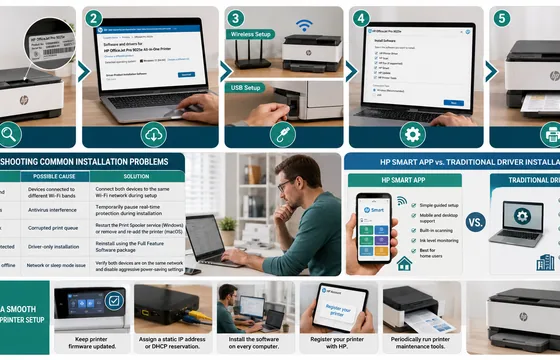
HP Printer Installation Software: The Complete 2026 Setup Guide
For more step-by-step technology guides, explore our Read Latest Blogs, discover our Free Online Tools, or visit the Toolsimpli Homepage for additional resources and tutorials.
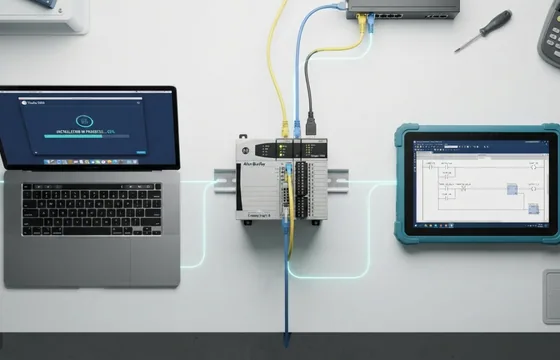
Allen Bradley PLC Software Studio 5000 Explained: Download Guide for 2026
Studio 5000 Logix Designer is the official programming platform for Allen Bradley Logix controllers and one of the most widely used PLC development tools in industrial automation. While there is no legitimate free full version, Rockwell Automation provides legal ways to evaluate the software, and beginners can start with Connected Components Workbench at no cost.

How to Classify Software Application Components
By applying these classification methods together, development teams can create cleaner codebases, simplify maintenance, improve collaboration, and build applications that are easier to expand as business requirements change.