GoPerfect Review 2026: AI Hiring Software Explained
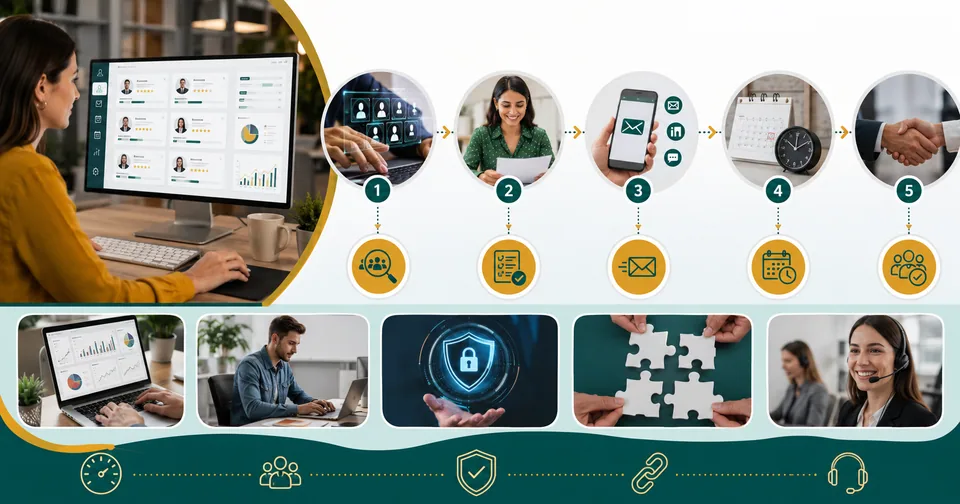
Hiring is slow, expensive, and full of guesswork. If you've spent a week sorting through resumes only to lose your top pick to a faster-moving competitor, you already know the cost of a sluggish process. That's the exact gap AI hiring software goperfect was built to close, and in 2026 it's become one of the more talked-about names in recruiting technology.
This guide breaks down what GoPerfect actually does, who it's built for, what it costs, and where it falls short, so you can decide whether it belongs in your hiring stack.
What Is GoPerfect?
GoPerfect is a cloud-based AI recruiting platform designed to automate the most time-consuming parts of hiring: finding candidates, ranking them, and reaching out. Instead of a recruiter manually searching job boards and LinkedIn, GoPerfect scans a large sourcing database, compares candidates against the role requirements, and surfaces the strongest matches automatically.
It positions itself less as a simple applicant tracking add-on and more as an autonomous hiring assistant that works alongside your existing team.
Main Purpose Of The Software
The core goal is straightforward: shrink time-to-hire without lowering candidate quality. GoPerfect does this by combining semantic candidate matching, automated outreach, and recruiting analytics into a single workflow, so recruiters spend less time on repetitive sourcing tasks and more time on interviews and relationship-building.
Key Features
Semantic AI sourcing across a large pool of candidate profiles
Explainable resume screening and candidate scoring
Multi-channel automated outreach across email, LinkedIn, and SMS
Automated interview scheduling and calendar coordination
Career-trajectory and role-fit prediction
Recruiting analytics dashboard for pipeline and time-to-hire tracking
Integrations with existing applicant tracking systems
Benefits
Teams using the platform report noticeably faster candidate replies and far less manual sourcing work, since outreach and follow-up sequences run largely on autopilot. For hiring managers, that translates into shorter open-role windows and less time lost to back-and-forth scheduling.
Use Cases
High-volume hiring where manual screening can't keep pace
Startups filling a handful of critical roles on a tight budget
Agencies managing multiple client searches at once
Enterprise teams running internal mobility and workforce planning
Who Should Use It
GoPerfect fits recruitment teams already using an ATS or CRM who want to reduce repetitive manual work, as well as lean startup teams that can't justify a full agency retainer. Solo recruiters handling a single search occasionally may find a lighter, cheaper tool a better starting point.
How The Software Works
After a role is set up, GoPerfect searches its candidate database using semantic matching rather than simple keyword search, so it can surface people whose experience fits the role even if their resume doesn't use identical wording. Matches are scored, inbound applicants are triaged automatically, and personalized outreach sequences go out across multiple channels with adaptive follow-ups based on engagement.
Supported Platforms
GoPerfect runs as a web-based platform accessible from any modern browser, with integrations into 60-plus applicant tracking systems so it slots into workflows teams are already using.
Pricing
Pricing is generally structured per open position rather than per seat, which keeps costs tied to actual hiring activity instead of the number of recruiter logins. Entry-level plans have been reported around 149 to 250 dollars per position per month, with custom enterprise pricing available for larger organizations with higher volume or more complex workflow needs.
Plan Type | Typical Price | Best For |
Pro / Per-position | ~$149–$250 per position/month | Startups and lean teams |
Enterprise | Custom pricing | Large orgs, high hiring volume |
Always confirm current pricing directly with the vendor, since plans and tiers can shift.
Free Trial Availability
Most listings point toward a guided demo rather than an open self-serve free trial, so budget time for a short walkthrough call before committing to a paid position.
User Interface And Ease Of Use
The dashboard is built around a single pipeline view, showing sourced candidates, screening scores, and outreach status side by side. New users generally get comfortable within a session or two, though the semantic scoring model takes a little longer to fully trust until you've compared its shortlist against a few of your own manual picks.
Security And Privacy Features
The platform is built as an enterprise-grade system with encryption in transit and at rest, alongside compliance practices aligned with standards like GDPR and CCPA. As with any recruiting tool handling candidate data, it's worth confirming current certifications directly before rolling it out at scale.
Integrations With Other Tools
GoPerfect connects with a wide range of applicant tracking systems, letting sourced and scored candidates flow directly into the ATS your team already runs day to day, rather than requiring a separate parallel workflow.
AI Features
The AI layer covers three main jobs: finding relevant candidates through semantic search, scoring and ranking them on a simple explainable scale, and drafting personalized outreach messages per candidate rather than a single templated blast.
Pros And Cons
Pros | Cons |
Cuts manual sourcing time significantly | Per-position pricing can add up at high volume |
Multi-channel automated outreach | Enterprise pricing isn't published upfront |
Explainable candidate scoring | Best results take some setup and tuning |
Wide ATS integration support | Human oversight still needed for final decisions |
Alternatives And Competitors
Other platforms in this space include tools built around large candidate databases with recruiter-led search, as well as broader talent-intelligence platforms aimed at enterprise workforce planning. The right choice usually depends on whether you want an autonomous sourcing agent or more hands-on control over the search process.
Customer Support Options
Support is generally available through a dedicated account contact for paid plans, with self-serve help resources for common setup and configuration questions.
Common Issues And Troubleshooting
New users occasionally see lower-quality matches until the tool has been given a clear, detailed role profile to work from. Taking time upfront to refine the job requirements and must-have skills tends to sharply improve the shortlist quality.
Best Practices For Using The Software
Write detailed, specific role profiles before sourcing begins
Review the first batch of AI-scored candidates manually to calibrate trust
Connect your ATS early so data doesn't live in two places
Track time-to-hire and reply-rate metrics to measure real impact
Real-World Examples
Teams comparing per-position pricing against traditional recruiting costs have found the math favors platforms like this one when hiring several roles per year, since the annual cost can come in well below either an agency placement fee or hiring extra in-house recruiters.
Frequently Asked Questions
Is GoPerfect only for large companies?
No. Its per-position pricing model is often positioned as budget-friendly for startups filling a handful of critical roles, not just enterprise teams.
Does it replace recruiters?
No. It automates sourcing, screening, and initial outreach, but hiring decisions and candidate relationships still rely on human recruiters.
Can it integrate with my current ATS?
Most likely yes, given its broad range of ATS integrations, though it's worth confirming your specific system is supported.
Final Points And Recommendation
GoPerfect is a genuinely capable AI hiring platform for teams that need to source and screen candidates faster without adding headcount. It's best suited to startups and mid-size teams filling several roles a year and enterprise teams managing high hiring volume. Smaller, occasional hiring needs may not justify the cost, but for anyone drowning in resumes, it's worth a demo.
Looking for more practical tool guides? Check out our free online tools or browse our latest blogs for more software breakdowns.
Related posts

Common Account Audit Software Used in Kenya: A Practical Overview
Before naming specific tools, it helps to understand the different categories, since most firms end up using more than one type together.

WhiteSnow Software: Who They Are and What They Actually Do
WhiteSnow Software is a real, established software consultancy with over a decade in the industry and a genuine product — Axonator — that it has continued to develop and support. Like any vendor, the right move is to verify current details directly with the company, request references, and compare their offering against your specific project needs rather than relying solely on any single source, including this one.
UART USB Software: A Practical Guide for Hobbyists and Engineers
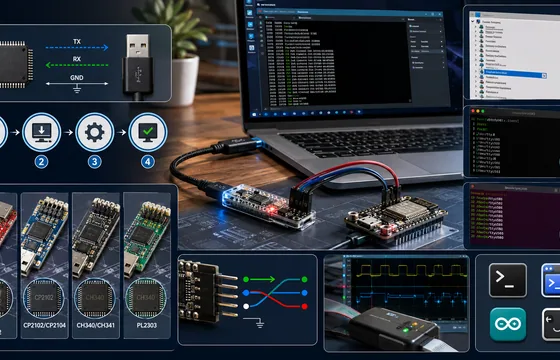
If you’ve installed the right driver, confirmed your wiring, and matched your baud rate, but you’re still getting garbage data, the problem might not be software at all. A cheap USB logic analyzer lets you actually see the electrical signal on the TX/RX lines, which is often the fastest way to catch wiring or timing issues that software troubleshooting alone won’t reveal.
BestOutcome PPM Software Company Overview
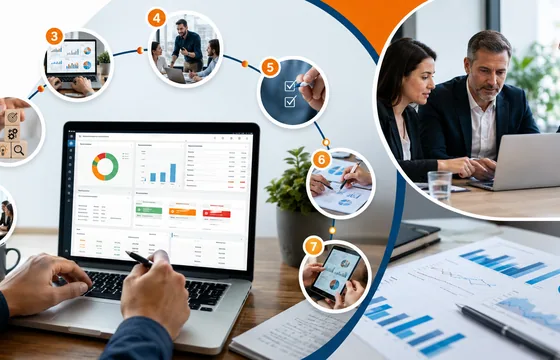
BestOutcome has built a long track record in the PPM space, particularly among public sector and healthcare organizations that need rigorous governance and reporting. For organizations already juggling multiple projects and struggling to get a clear, current picture of progress, PM3 is a serious option worth including in any shortlist. For smaller teams running one or two projects, though, a lighter tool is probably the better starting point.

Rippling HR Software Market Share in 2026: What the Numbers Really Show
Rippling isn't the biggest player in HR software by raw market share, and depending on which report you read, it may rank anywhere from third to well down the list. What's harder to argue with is the growth curve. Revenue crossing a billion dollars, tens of thousands of customers, and a steady stream of new features point to a company that's earned its spot on most shortlists.