How To Evaluate Unfamiliar Software Before You Trust It (2026)
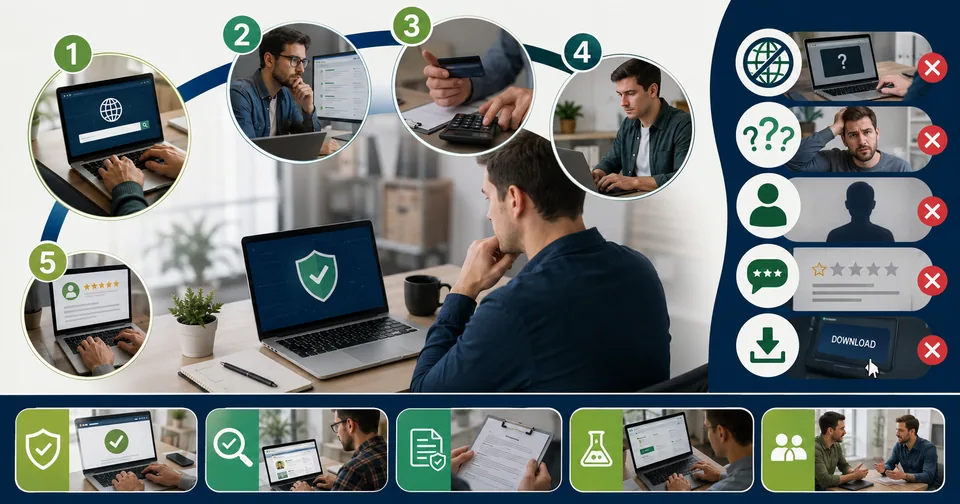
You come across a program name you've never heard of, maybe on a download page, an old project folder, or a random blog post, something like software keepho5ll. Before you install anything or hand over your data, it pays to slow down and actually check what you're dealing with. Here's a practical framework for vetting unfamiliar software so you don't end up wasting time or exposing your system to risk.
Why This Matters
New tools launch constantly, and not all of them are what they claim to be. Some are legitimate early-stage products without much of a public track record yet. Others are little more than a name attached to vague marketing copy, with no verifiable company, pricing, or download source behind it. Telling the two apart takes a few minutes and can save you a real headache.
Step 1: Look For An Official Source
A real piece of software almost always has one clear, official home: a dedicated website with its own domain, a listing on an app store, or a page on a known software marketplace. If every result you find is a third-party blog post describing the tool in different, inconsistent ways with no link back to an official site, that's a strong warning sign.
Step 2: Check For Consistency Across Sources
Search for the software name and read several results side by side. Legitimate products get described consistently: the same core function, the same target user, similar feature lists. If one article calls it a cybersecurity suite, another calls it a file-organization tool, and a third calls it a small-business CRM, you're likely looking at generic filler content rather than real product coverage.
Step 3: Verify Pricing And Company Details
Real software has real pricing, whether that's a published price list, a free tier, or at least a clear path to request a quote. It also has an identifiable company behind it, ideally with a support contact, a privacy policy, and terms of service. The absence of any of these is worth treating as a red flag.
Step 4: Search For Independent Reviews
Established review platforms that verify user accounts before publishing feedback are a good signal of legitimacy. A total absence of listings on any recognized review platform, despite dozens of blog articles about the tool, suggests the coverage may be manufactured rather than organic.
Step 5: Check Download Sources Carefully
Only download software from its official site or a recognized app store. Third-party download aggregators are a common vector for bundled unwanted programs or worse, even when the software they're distributing has a real name attached to it.
Red Flags To Watch For
No official website or inconsistent branding across mentions
Contradictory descriptions of what the software actually does
No visible pricing, company name, or support contact
Reviews that read like generic marketing rather than real usage
Download links that only lead to third-party aggregator sites
What To Do If A Tool Fails These Checks
If a piece of software you're researching doesn't hold up against these checks, don't install it and don't take its claimed features at face value. Instead, look for an established alternative in the same category with a verifiable company, clear pricing, and real independent reviews behind it.
Best Practices Before Adopting Any New Software
Confirm there's one official source of truth for the product
Cross-check feature claims across at least two independent reviews
Read the privacy policy before granting file or data access
Test in a limited or trial capacity before full adoption
Ask colleagues or industry peers if they've used it directly
Frequently Asked Questions
Is every unfamiliar software name untrustworthy?
No. Plenty of legitimate new tools simply haven't built up a public track record yet. The point is to verify rather than assume, either way.
What's the fastest single check to run?
Look for one official website with consistent, specific claims about what the product does. If that doesn't exist, treat everything else you read about it with caution.
Final Points And Recommendation
Before adopting any unfamiliar tool, whether it's something like software keepho5ll or any other name you've just come across, run it through a quick verification pass: official source, consistent description, real pricing, and independent reviews. A few minutes of checking beats hours of cleanup later.
For tools that are transparent about what they do, explore our free online tools, including Text Tools and Developer Tools. Have questions? Visit our FAQs.
Related posts

UART USB Software: A Practical Guide for Hobbyists and Engineers
If you’ve installed the right driver, confirmed your wiring, and matched your baud rate, but you’re still getting garbage data, the problem might not be software at all. A cheap USB logic analyzer lets you actually see the electrical signal on the TX/RX lines, which is often the fastest way to catch wiring or timing issues that software troubleshooting alone won’t reveal.

Wolf3D Software: The Company Behind Ready Player Me’s 3D Avatars
The Wolf3D story is a useful case study for anyone building software in a fast-moving space like the metaverse or 3D avatar tools. A hardware-first idea pivoted into a software product, found real traction by solving a genuine developer pain point, and eventually became valuable enough to attract a major acquisition. It’s also a reminder that platforms you build on top of can shift quickly, so keeping your project’s assets portable and documentation organized is worth the extra effort.
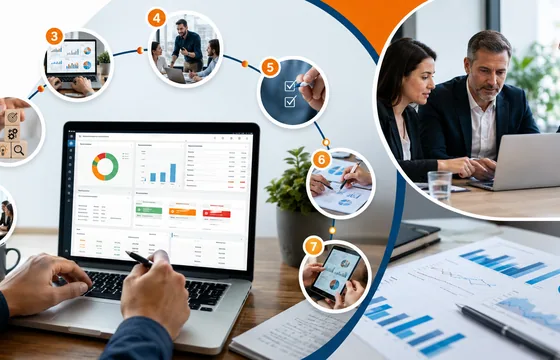
BestOutcome PPM Software Company Overview
BestOutcome has built a long track record in the PPM space, particularly among public sector and healthcare organizations that need rigorous governance and reporting. For organizations already juggling multiple projects and struggling to get a clear, current picture of progress, PM3 is a serious option worth including in any shortlist. For smaller teams running one or two projects, though, a lighter tool is probably the better starting point.
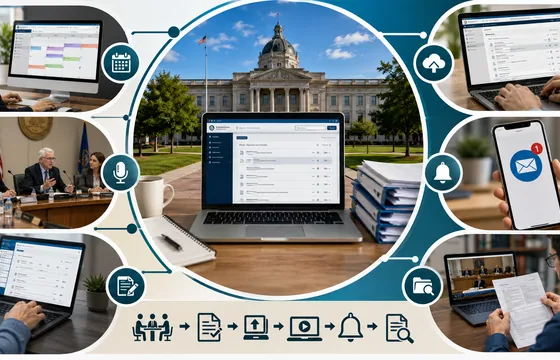
Clay County Board Of County Commissioners Meeting Minutes Software
Many of these systems also include public-facing portals where residents can subscribe to email notifications whenever new agendas or minutes are posted, rather than needing to check the county website manually. If you're following a recurring issue, such as a zoning decision or a budget line item, setting up a notification subscription is usually far more reliable than checking back every few weeks.

Inventory And Accounting Software For Small Business (2026)
Inventory and accounting software for small business is a category of tools that merge two functions historically handled by separate systems: financial record-keeping and stock management. Instead of manually reconciling an inventory spreadsheet against your accounting ledger, the two update together automatically.